

Deskripzioa
Customer History 3.0.0 is a complete revamp — rebuilt from the ground up as a focused customer-intelligence and reporting tool for WooCommerce. We’ve moved away from scattered actions and doubled down on one thing: showing you exactly what your customers are doing on your store — who’s buying, who’s browsing without buying, and what they’re searching for — so you can plan your next move with real insight instead of guesswork. The analytics are read-only and run entirely on your own server, and the plugin never contacts your customers automatically — it sends no bulk or marketing emails.
Most WooCommerce stores fly blind on their customers. The native dashboard reports orders, revenue, and traffic — but not who is buying, who’s browsing without buying, what people are searching for, or which searches return nothing. PureDevs Customer History turns raw store activity into customer intelligence: profiles, search insight, view tracking, and segments — all inside wp-admin.
Tracking starts the moment you activate it: no wizard, no configuration, works out of the box. And it’s private by design — all data stays in your own WordPress database, with nothing sent to any third-party service or API.
SEE IT IN ACTION
Watch a full walkthrough of the dashboard, customer profiles, and search analytics — and how to use them to identify your most valuable customers:
WHAT CUSTOMER HISTORY SHOWS YOU
Customer Intelligence Dashboard. Your store’s customer nerve centre. See total customers, new customers this period, and active customers at a glance, plus widgets for top customers by lifetime value, latest orders with customer context, top-selling products, top search terms, top categories, recent searches, and most-viewed products — with a date-range picker and period-over-period comparison.
Customer List & Profiles. A customer-first view of your store. Sort and search your customers by name, email, orders, lifetime spend, and last order date. Open any customer to see their full profile: financial summary, complete order history, that customer’s recent searches, and recently viewed products — data WooCommerce native simply does not provide.
Search & Discovery Analytics. A dedicated Search Analytics page with nothing comparable in WooCommerce. See your top search terms and most recent searches — so you know exactly what shoppers are looking for — alongside the most-viewed products with view counts and your top viewed categories.
View Tracking. Passive, lightweight tracking of which products and categories your customers view. The view-to-purchase gap is invisible to WooCommerce native; Customer History surfaces it on every customer profile and on the Search Analytics page.
Revenue. A focused revenue dashboard: net revenue, orders, average order value, and customers for the selected period (within the free 90-day window) with period-over-period comparison and a revenue trend chart.
Order History. A store-wide order list you can filter by date range, order status, and keyword, with quick links straight into the matching WooCommerce order edit screens — a fast way to find and cross-reference orders alongside everything else you know about the customer.
Manual Customer Email. When you want to follow up with a single customer, you can compose and send them a one-off email straight from their profile. It’s entirely manual and admin-initiated — there are no automated sends, no bulk emails, and no marketing campaigns. You write each message yourself, and the plugin never contacts a customer unless you choose to.
Customer Segments. Save a customer segment configuration for quick recall. The Segments page shows your saved segment with a live customer count and one-click CSV export.
Weekly Email Digest. An optional, opt-in weekly summary email sent to you, the store owner: new customers, top search terms, top customers, and most-viewed products. Keeps you informed about customer activity even when you don’t log in. (Admin-only — the digest goes to you, the store owner, not to your customers.)
CSV Export. Export your customer list to CSV at any time.
FREE VERSION SCOPE
The free version shows up to 100 customers in the customer list and the most recent 90 days of analytics. All data — for every customer and every session — is collected from day one. The free version simply shows the most recent 100 customers and 90-day window; the full view is available in Pro.
PRIVATE BY DESIGN
Customer History is built around observation and reporting. It runs no automation, sends no bulk or marketing emails, creates no coupons, and never modifies orders, product data, or any WooCommerce setting. The one outbound action it offers is fully optional and manual: you can send an individual customer a one-off email that you compose yourself from their profile — nothing is ever sent automatically. It’s HPOS-compatible, supports the WordPress GDPR export/erase workflow, and keeps all data on your own server.
Upgrade to Pro
Customer History Pro extends the free plugin with advanced customer intelligence. Upgrading doesn’t add a second plugin — the advanced features simply switch on, with all your previously captured data intact. Pro unlocks:
- RFM Segments — instantly see whether a customer is a Champion, Loyal, At Risk, or Lost, based on Recency, Frequency, and Monetary scoring.
- Customer Health Score — a 0–100 score blending recency, frequency, spending, and engagement, with trend tracking.
- Churn Risk & Prediction — identify customers who are about to stop buying, with at-risk alerts.
- Behavioral Tags — automatic badges such as VIP, Window Shopper, and Bargain Hunter.
- Lifecycle Stages — see where each customer sits in their journey: New, Active, Loyal, or Lapsed.
- Full Session History — every visit, page view, and search a customer has made, beyond the free 90-day window.
- Abandoned Cart Tracking — observe carts and detect abandonment and recovery, with an admin list and dashboard widget. (Tracking and insight only — no recovery emails are sent.)
- Full Revenue Analytics — a complete revenue dashboard with KPI cards, time-series, and a new-vs-returning-vs-guest revenue split.
- Enhanced Product Reports — product revenue over time, frequently-bought-together correlations, and a revenue-pattern heatmap by day and hour.
- Aggregate Conversion Funnel — a store-wide funnel view from sessions to purchase.
- Revenue Data Integrity — a diagnostic that validates the accuracy of your revenue figures.
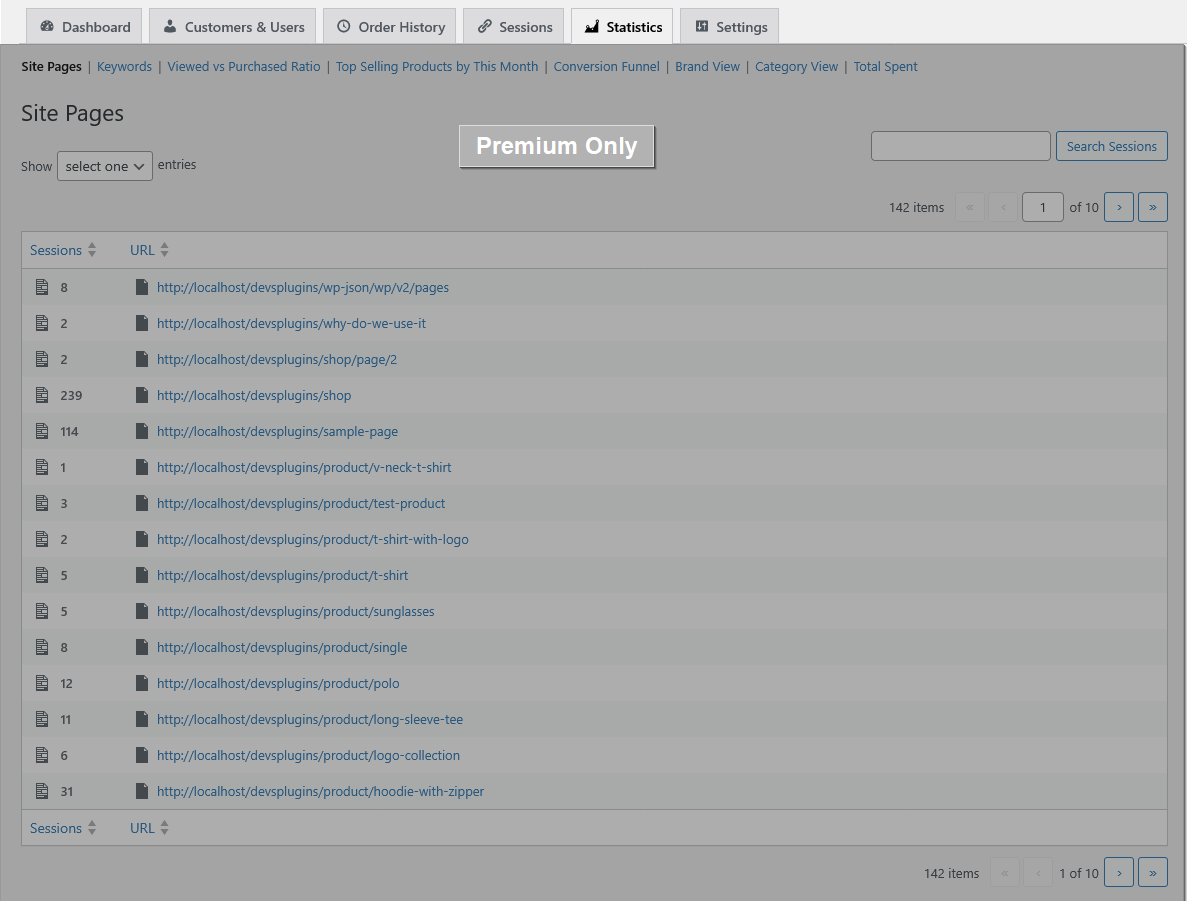
- Stats pages — product-view stats, search-keyword stats, taxonomy/category stats, top-selling products, total customer spend, and live sessions.
- Advanced customer table — extra columns (RFM segment, health score, lifecycle stage, behavioral tags) and filters by country, role, lifecycle stage, and behavior.
- Advanced order-history filters — filter orders by payment method and order total.
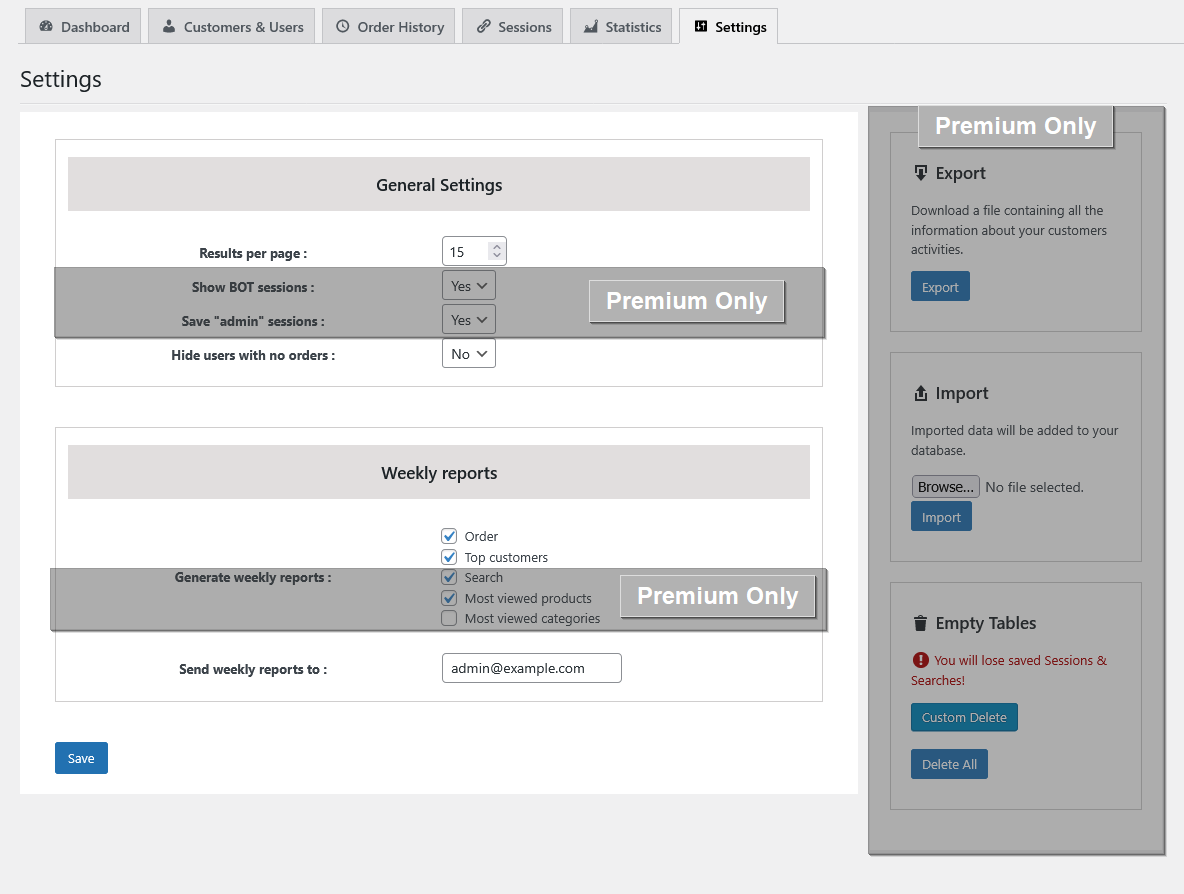
- Session data tools — export and import session data (CSV), delete data by date range, and exclude bot/admin sessions from tracking.
- Ready-made segments — pre-built Pro segments out of the box (High Value At Risk, Loyal Champions, Needs Attention, Hibernating, High Health Declining).
- No limits — unlimited customers, full historical data, and unlimited saved segments.
Learn more at https://puredevs.com/pricing.
Source Code for Bundled Libraries
This plugin bundles the following third-party JavaScript libraries:
-
Date Range Picker (admin/js/daterangepicker.min.js)
- Unminified source: admin/js/daterangepicker.js (included in the plugin package)
- Original source: https://github.com/dangrossman/daterangepicker
- Version: 3.1.0
- License: MIT License
- Copyright (c) 2012-2019 Dan Grossman
-
Chart.js (admin/js/chart.umd.js)
- Original source: https://github.com/chartjs/Chart.js
- Version: 4.4.1
- License: MIT License
- Copyright (c) 2014-2023 Chart.js Contributors
Pantaila-argazkiak




Instalazioa
Manual installation takes less than a minute.
- Download the plugin from wordpress.org, unpack it, and upload the [PureDevs Customer History for WooCommerce] folder to your wp-content/plugins/ directory — or install it directly from the Plugins screen in WordPress.
- Activate the plugin through the Plugins menu in WordPress.
- Go to Customer History > Settings to configure tracking options (optional — defaults work out of the box).
Data collection begins the moment the plugin activates. No setup wizard or configuration is required. You are good to go.
MEG
Q. Is this plugin only for WordPress sites?
A. Yes. The plugin works with WordPress sites that have WooCommerce installed and activated. WooCommerce is required.
Q. Where is my customer data stored?
A. All data is stored in your own WordPress database. The plugin never sends customer data to any external service, API, or third-party server. Your data stays on your own server.
Q. Is there a video walkthrough?
A. Yes. You can watch a full walkthrough of the dashboard, customer profiles, and search analytics here: https://www.youtube.com/watch?v=anFJa63GnfI
Q. Is the plugin compatible with WooCommerce High-Performance Order Storage (HPOS)?
A. Yes. The plugin uses WooCommerce CRUD methods and declares HPOS compatibility. It does not query the posts table directly for orders.
Q. Will this plugin slow down my store?
A. No. Session and view tracking writes are lightweight and happen passively during normal page loads. Heavy analytics queries run on demand and cache their results. You can configure the plugin to exclude bot and admin sessions to further reduce data volume.
Q. What customer data is stored, and how do I erase it for GDPR?
A. The plugin stores session data in your WordPress database: page views, search queries, and product views associated with each customer. No data leaves your server. To export or erase a customer’s data, use the built-in WordPress tools at Tools > Export Personal Data and Tools > Erase Personal Data — the plugin fully supports the WordPress privacy request workflow.
Q. Does the plugin send emails to my customers?
A. The plugin never sends automated, bulk, or marketing emails to your customers, and it runs no campaigns. The weekly digest is an admin-only email delivered to you, the store owner. It does include one optional manual tool: from a customer’s profile you can compose and send a single one-off email to that one customer yourself. Nothing is ever sent automatically — a customer is only ever emailed if you write and send the message.
Q. Does the plugin modify orders, products, or WooCommerce settings?
A. No. The plugin is observational where your store data is concerned. It never modifies orders, creates coupons, changes product data, or alters any WooCommerce setting.
Q. What does the free version include?
A. The free version shows up to 100 customers in the customer list and the most recent 90 days of analytics, with the full Customer Intelligence Dashboard, customer profiles, Search Analytics, view tracking, a Revenue dashboard, an Order History page with date/status/keyword filters, one saved segment, the weekly digest, a manual one-to-one customer email tool, and CSV export. All data is captured from day one; upgrading to Pro unlocks the full customer list, full history, and the advanced intelligence features.
Q. Do I need any technical knowledge to use the plugin?
A. No. Just install and activate — no coding required. All data is collected automatically from your WooCommerce store.
Berrikuspenak
Ez dago berrikuspenik plugin honentzat.
Laguntzaileak eta Garatzaileak
“PureDevs Customer History for WooCommerce” software librea da. Ondoko pertsonek egin dizkiote ekarpenak plugin honi.
Laguntzaileak

Itzul zaitez PureDevs Customer History for WooCommerce zure hizkuntzara.
Garapena interesatzen zaizu?
Araka kodea, begiratu SVN biltegia edo harpidetu garapen erregistrora RSS bidez.
Aldaketen loga
3.0.0
- NEW: Customer Intelligence Dashboard — overview cards (total, new, and active customers) plus widgets for top customers by lifetime value, latest orders, top-selling products, top searches, top categories, recent searches, and most-viewed products, with a date-range picker and period-over-period comparison.
- NEW: Search & Discovery Analytics page — top search terms, recent searches, most-viewed products with view counts, and top viewed categories.
- NEW: Per-customer profile page — financial summary, complete order history, that customer’s recent searches, and recently viewed products.
- NEW: View tracking — passive tracking of which products and categories customers view.
- NEW: Revenue dashboard — net revenue, orders, AOV, and customers with period-over-period comparison and a revenue trend chart (free 90-day window).
- NEW: Order History page — a store-wide order list filterable by date range, status, and keyword, with quick links into the matching WooCommerce order edit screens.
- NEW: Customer Segments — save a segment with a live member count and one-click CSV export.
- NEW: Weekly email digest (opt-in, admin-only) summarising new customers, top searches, top customers, and most-viewed products.
- NEW: Manual one-to-one customer email tool — compose and send a single, admin-initiated email to an individual customer from their profile. No automated sends, no bulk emails, no marketing campaigns.
- NEW: Free-tier scope — customer list shows the most recent 100 customers and a 90-day analytics window, with clear scope banners.
- IMPROVED: Reworked as a focused customer-intelligence and reporting plugin. The analytics are observation-and-reporting focused; the only outbound action is a manual, one-to-one customer email you send yourself.
- COMPATIBILITY: WordPress 6.0+, WooCommerce, HPOS-compatible. Compatibility check with the latest WordPress and WooCommerce versions.
2.1.8
- All features are now free with no premium gating.
- Removed session and behaviour tracking features (page visit recording, URL session logging, live search term tracking).
- Removed statistics section (product view vs. purchase ratio, most-viewed products/categories reports).
- Removed customer point system and Bronze/Silver/Gold/Platinum categorisation.
- Removed coupon generation for customer categories.
- Removed conversion funnel visualisation.
- Removed customer referral system.
- Weekly reports simplified to Orders and Top Customers reports.
- Security and sanitization fixes for WP.org compliance (nonce handling, wp_unslash, input sanitization, GPL-compatible chart library).
- Compatibility check with WP and WooCommerce latest version.
2.1.7
- Fix errors related to validations, sanitizations and escaping.
- Compatibility check with WP and WooCommerce latest version.
2.1.6
- NEW: Customer Health Score system (0-100) based on purchase patterns, engagement, and spending behavior.
- NEW: Health score trend tracking (improving, stable, declining) for proactive customer management.
- NEW: Customer Lifecycle Stages tracking (Prospect, New Customer, Active Customer, Loyal Customer, At Risk, Churned).
- NEW: Automatic lifecycle stage assignment based on customer behavior and purchase history.
- NEW: Lifecycle funnel visualization widget on dashboard.
- NEW: At-risk customer alerts widget to identify customers needing immediate attention.
- NEW: Filter customers by health score range (Excellent, Good, Fair, Poor, Critical).
- NEW: Filter customers by lifecycle stage and days in stage for targeted marketing.
- NEW: Visual health score badges and trend indicators on customer list.
- NEW: Comprehensive customer intelligence cards on customer detail pages.
- Enhanced customer intelligence dashboard with all metrics in one place.
- Improved customer list table with RFM, Health Score, and Lifecycle columns.
- Compatibility check with WP and WooCommerce latest version.
2.1.5
- Advanced RFM (Recency, Frequency, Monetary) customer segmentation system.
- Intelligent customer scoring with 11 predefined segments (Champions, Loyal, Potential Loyalist, etc.).
- Visual RFM dashboard widget with segment distribution charts.
- Actionable business insights and recommendations for each customer segment.
- Enhanced customer intelligence for targeted marketing campaigns.
- Filter(search) Customers & Users by purchased product.
- Compatibility check with WP and WooCommerce latest version
2.1.4
- Fixed product brand view issue.
- Compatibility check with WP and WooCommerce latest version
2.1.3
- Direct customer email communication system with personalized templates.
- Customer referral system with unique codes and point-based rewards.
- Referral tracking with cookie attribution and sharing capabilities.
- Enhanced customer engagement and retention features.
- Compatibility check with WP and WooCommerce latest version
2.1.2
- Conversion Funnel Visualization.
- Compatibility check with WP and WooCommerce latest version
2.1.1
- Top selling products by month.
- Compatibility check with WP and WooCommerce latest version
2.1.0
- Categorized customers based on earning points ( points will be earned by placing order and spending money on this store ).
- Create and send coupons to customers based on customer category.
- Compatibility check with WP and WooCommerce latest version
1.0.9
- Generate weekly report for orders, top customers, searches, most viewed products, most viewed categories and send it to admin email or an entered email address from the settings area via email.
- Compatibility check with WP and WooCommerce latest version
1.0.8
- Generate weekly orders report
- Generate weekly searches report
- Generate weekly most viewed products report
- Product View vs Purchase Ratio
- Compatibility check with WP and WooCommerce latest version
1.0.7
- Most viewed products list for individual customer
- Compatibility check with WP and WooCommerce latest version
1.0.6
- Download Customers & Users Order Informations to CSV
1.0.5
- Compatible with High Performance Order Storage
1.0.4
- Add no order message
- Compatibility check with WP and WooCommerce latest version
1.0.3
- Compatibility check with WP and WooCommerce latest version
1.0.2
- Compatibility check with WP and WooCommerce latest version
1.0.1
- Compatibility check with WP latest version
1.0.0
- Version 1.0.0 Initial Release