

Deskripzioa
Diigo Online Bookmarking Widget
Display bookmarks from Diigo in your sidebar. Uses Diigo API to fetch the bookmarks.
- First get an API key from here
- Use this key along with your username and password in the widget settings.
- Then click the “Test API” button to test the api response.
- Set widget options. You can mention the ‘User’ input to fetch bookmarks from a particular user or leave it empty to fetch any public bookmark.
Pantaila-argazkiak
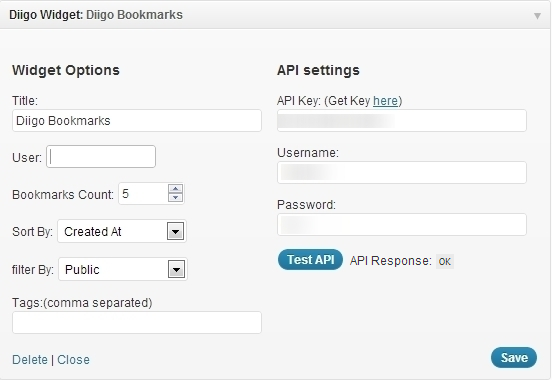
Diigo Widget Settings 
Widget Preview
Instalazioa
- Upload
diigo-widget.phpto the/wp-content/plugins/directory - Activate the plugin through the ‘Plugins’ menu in WordPress
- Go to Appearance->Widget and use ‘Diigo Widget’ on your siderbar
- Get your diigo API key from http://www.diigo.com/api_keys/new/
- Enter your Diigo account username and password
Berrikuspenak
Ez dago berrikuspenik plugin honentzat.
Laguntzaileak eta Garatzaileak
“Diigo Bookmarks Widget” software librea da. Ondoko pertsonek egin dizkiote ekarpenak plugin honi.
Laguntzaileak
Itzul zaitez Diigo Bookmarks Widget zure hizkuntzara.
Garapena interesatzen zaizu?
Araka kodea, begiratu SVN biltegia edo harpidetu garapen erregistrora RSS bidez.