

Deskripzioa
Kaspa Payments Gateway for WooCommerce enables your WooCommerce store to accept Kaspa (KAS) cryptocurrency payments. Built with security and simplicity in mind, using KPUB (Extended Public Key) watch-only wallets for non-custodial payment processing.
Important: This plugin is not officially affiliated with, endorsed by, or connected to Kaspa, WooCommerce, or their respective owners.
Key Features
- KPUB Watch-Only Wallet – Secure, non-custodial payment processing. No private keys stored.
- Automatic Payment Detection – Real-time payment monitoring via Kaspa API.
- Unique Address Per Order – Each order gets a dedicated payment address for better tracking.
- Real-Time Exchange Rates – Automatic fiat-to-KAS conversion supporting 45+ store currencies (USD, EUR, GBP, etc.) with 3 configurable price sources.
- KasWare Browser Wallet – One-click payment via the KasWare Chrome extension (auto-detected).
- QR Code Support – Easy payment scanning with QR codes.
- Classic & Block Checkout – Supports both WooCommerce checkout styles.
Requirements
- WordPress 5.0+
- WooCommerce 3.0+
- PHP 7.4+
- Kaspa wallet (Kaspium recommended) with KPUB export capability
External Services
This plugin connects to the following third-party services:
Kaspa API (api.kaspa.org) – Payment verification and optional price source. Sends payment addresses only (public blockchain data). More info
Price APIs – Configurable sources for KAS exchange rates in your store currency (no user data sent):
- CoinGecko – Supports 45+ fiat currencies (Terms | Privacy)
- CryptoCompare – Supports 45+ fiat currencies (Terms | Privacy)
QR Server API (api.qrserver.com) – Generates QR codes for payment addresses. Sends address and amount only. (Terms | Privacy)
Learn more at kaspawoo.com.
Pantaila-argazkiak
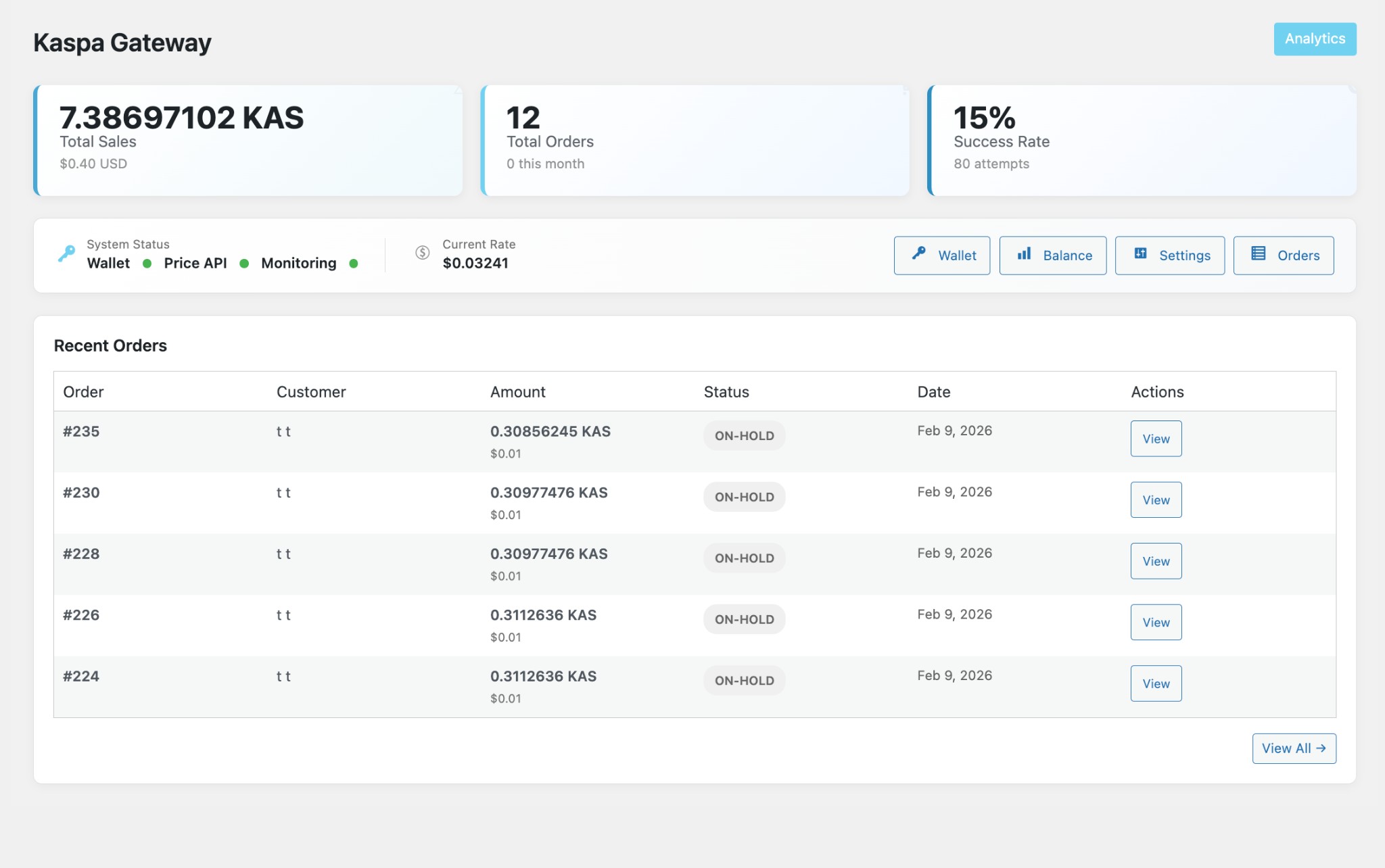
Dashboard with Total Sales, Total Orders, Success Rate, and Recent Orders 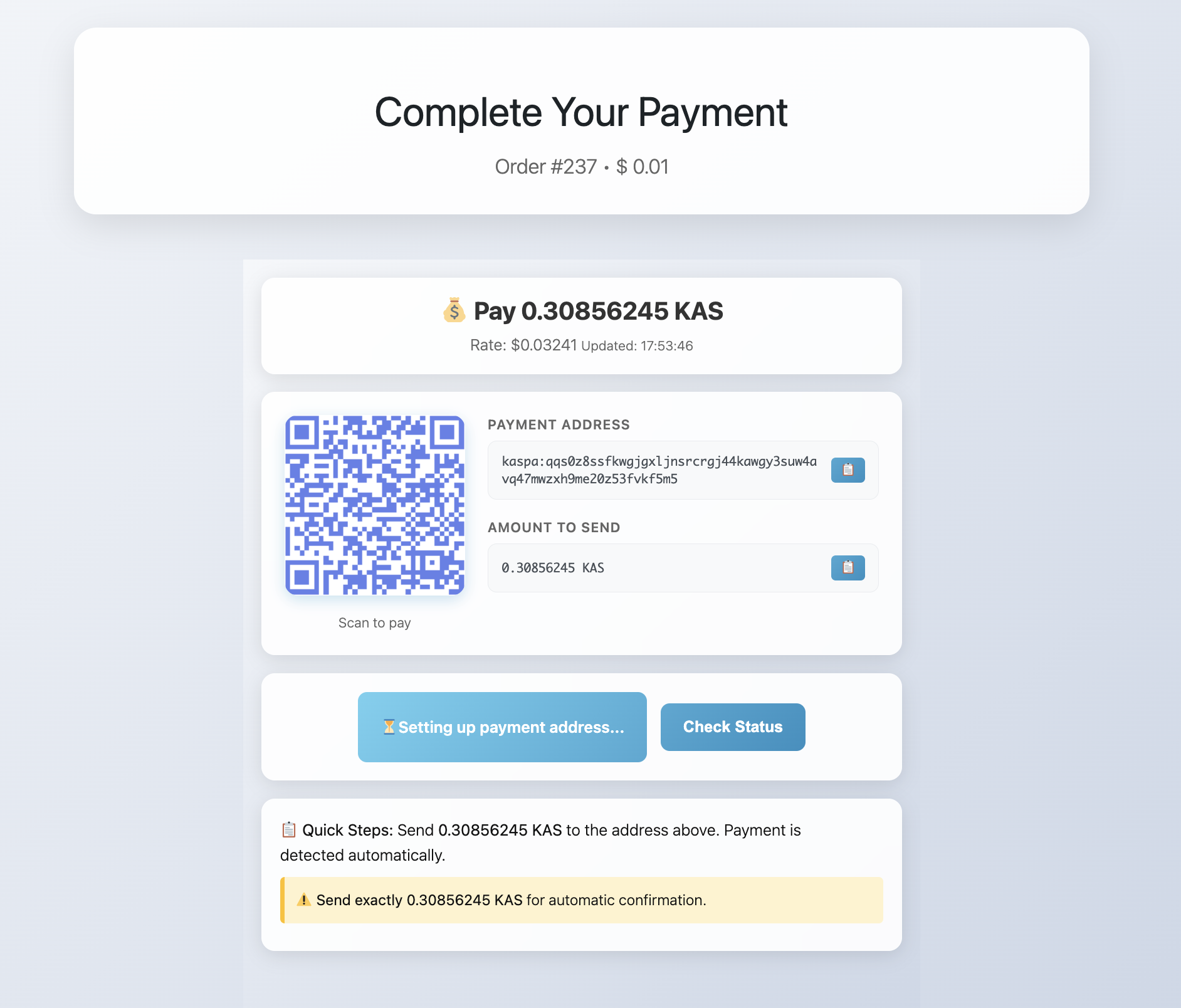
Customer payment page with QR code, address, and amount to send 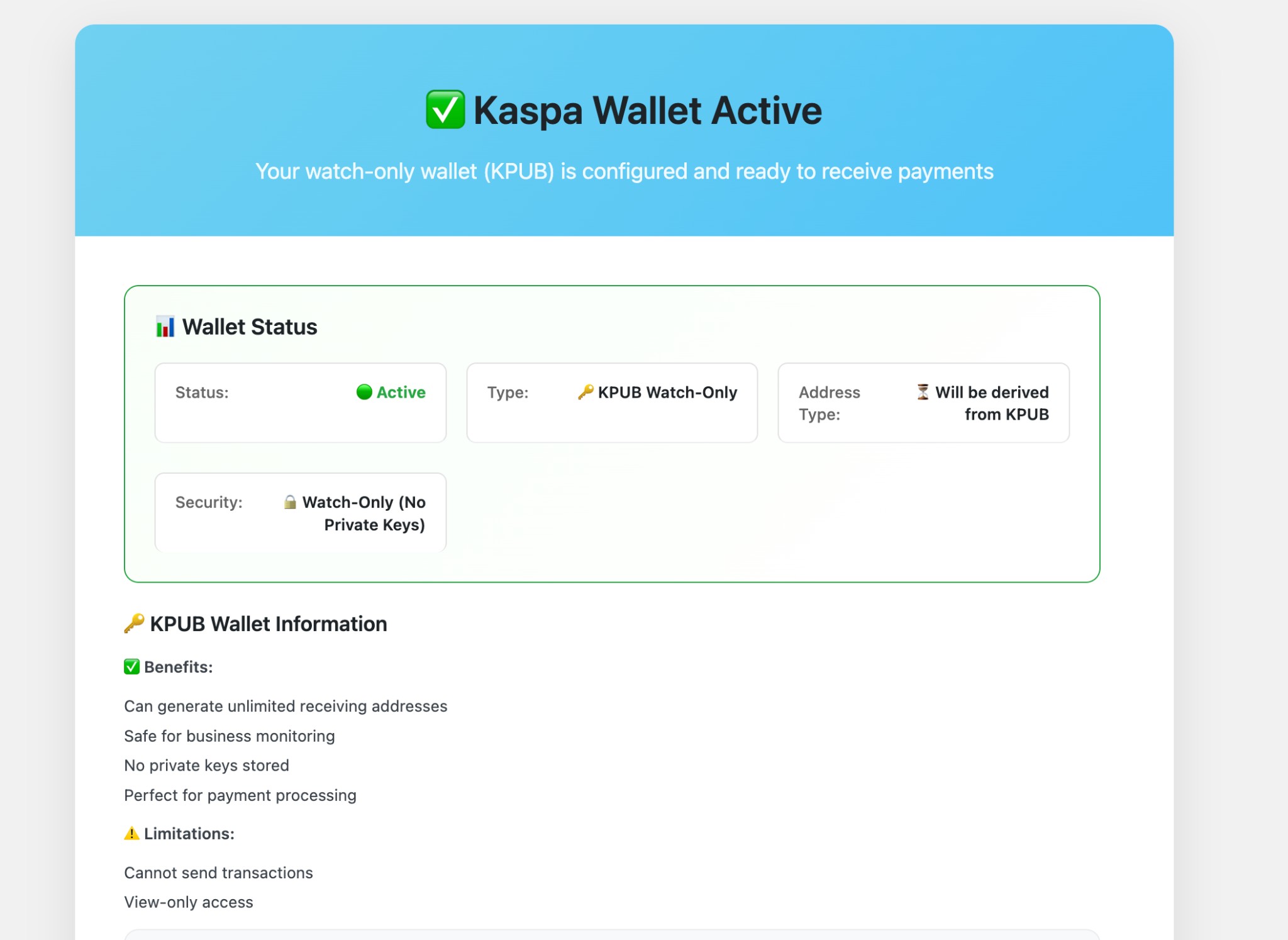
Wallet active – KPUB watch-only status and benefits 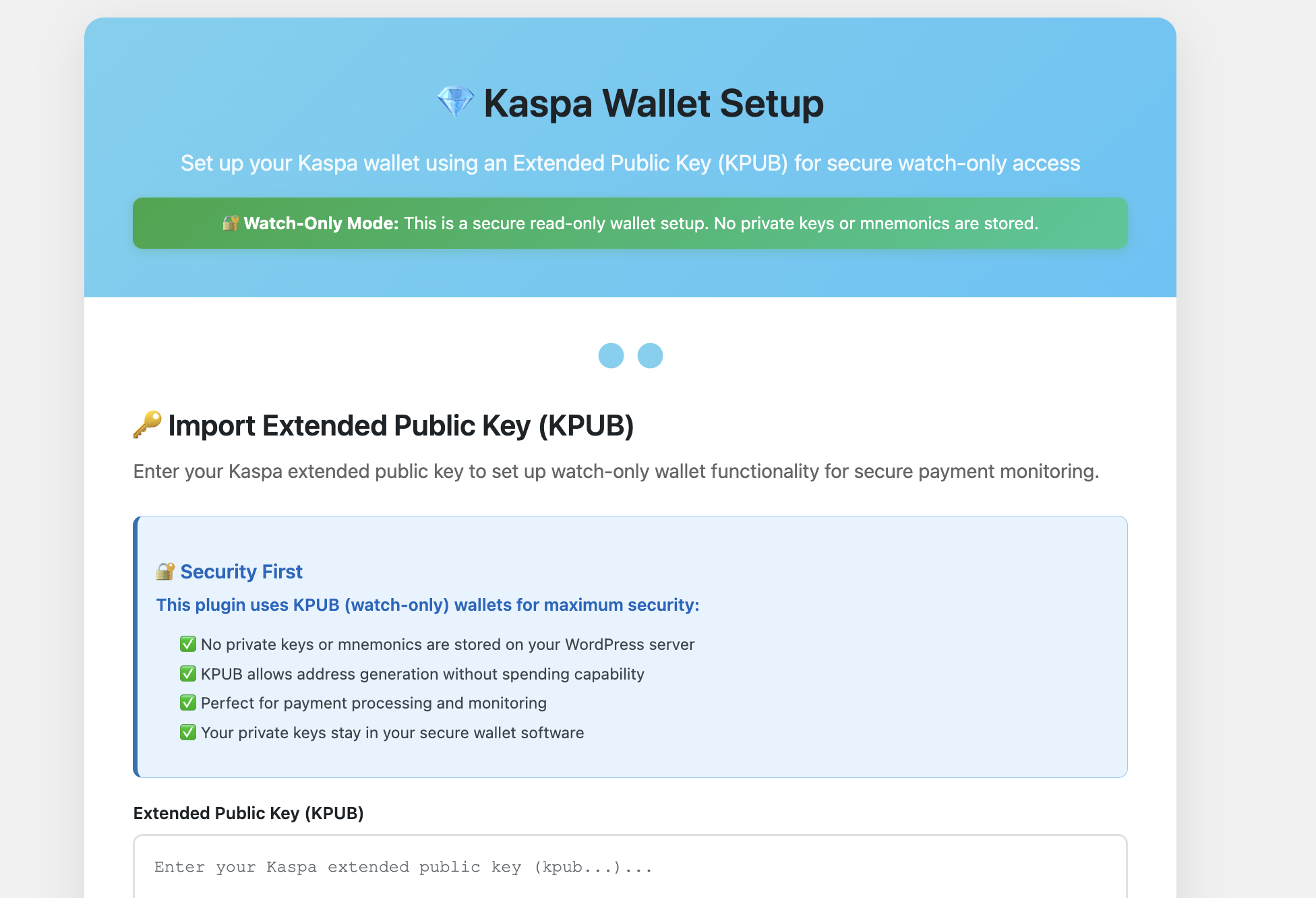
Wallet setup – Import Extended Public Key (KPUB)
Instalazioa
- Upload the plugin files to
/wp-content/plugins/kaspa-payments-gateway-woocommerce/ - Activate the plugin through the ‘Plugins’ menu in WordPress
- Go to Kaspa Wallet Setup and import your KPUB from Kaspium
- Enable the payment method in WooCommerce Settings Payments
Configuration
- Export KPUB from Kaspium: Open your Kaspium wallet Settings Export Extended Public Key
- Import in WordPress: Kaspa Wallet Setup Paste KPUB Validate & Import
- Enable Payments: WooCommerce Settings Payments Enable “Kaspa Payments”
MEG
-
Does this store my private keys?
-
No. This plugin uses KPUB (Extended Public Key) only. Private keys and mnemonics are never stored or required.
-
Can I spend from addresses generated by this plugin?
-
Yes, but not through WordPress. This plugin is watch-only. To spend funds, use your wallet software (Kaspium) where you control the private keys.
-
How does payment detection work?
-
The plugin polls the Kaspa API to check if funds have been received at the order payment address. When the required amount is detected, the order is automatically completed.
-
What happens if the exchange rate changes?
-
Payment amounts update in real-time based on current exchange rates. Customers see the latest KAS amount on the checkout page.
-
Will addresses appear in my Kaspium wallet?
-
Yes. Addresses are generated sequentially starting from index 0, so they automatically appear in Kaspium wallets.
Berrikuspenak


Laguntzaileak eta Garatzaileak
“Kaspa Payments Gateway for WooCommerce” software librea da. Ondoko pertsonek egin dizkiote ekarpenak plugin honi.
Laguntzaileak
Itzul zaitez Kaspa Payments Gateway for WooCommerce zure hizkuntzara.
Garapena interesatzen zaizu?
Araka kodea, begiratu SVN biltegia edo harpidetu garapen erregistrora RSS bidez.
Aldaketen loga
1.2.0
- Added: Multi-currency support — 45+ store currencies (EUR, GBP, CAD, etc.) via CoinGecko and CryptoCompare
- Added: Test buttons on exchange rate settings — verify each source returns a live rate
- Added: Settings link in sidebar and fixed plugin Settings link to go directly to gateway settings
- Changed: Simplified to 3 reliable price sources (CoinGecko, CryptoCompare, Kaspa API) — removed 5 exchange tickers
- Improved: Clear currency-aware labels and descriptions for non-USD stores
- Improved: KasWare payment spinner during on-chain verification
1.1.0
- Added: KasWare browser wallet integration — auto-detects the Chrome extension, one-click payment with on-chain verification
- Added: Direct transaction verification via Kaspa API — confirms KasWare payments in seconds instead of polling all transactions
- Added: Automatic order expiry — unpaid orders are cancelled and stock restored after timeout (respects WooCommerce “Hold stock” setting, defaults to 24 hours)
- Added: uninstall.php — clean plugin removal per WordPress.org standards
- Improved: Fast confirmation polling (3s intervals) after KasWare payment, falls back to standard 15s
- Fixed: Payment address security — save endpoint now requires order key verification
- Fixed: Address index race condition — atomic database increment prevents duplicate addresses under concurrent orders
- Fixed: HPOS metabox compatibility — order details panel now works with WooCommerce High-Performance Order Storage
- Fixed: Cron cleanup on plugin deactivation
- Removed: Debug tools and console logging from production checkout
- Removed: Mobile zoom lock that prevented accessibility
1.0.5
- Added: Configurable exchange rate source order (1st, 2nd, 3rd choice) in gateway settings
- Added: Three reliable price sources: CoinGecko, CryptoCompare, Kaspa API
- Changed: Rate fetch tries selected sources in order with 5-minute cache
- Improved: External services documentation
1.0.4
- Added: CryptoCompare as fallback when CoinGecko is unavailable
- Added: Dismissible “Leave a review” notice on Kaspa admin pages
- Changed: Rate fetch fails safely if all APIs fail
1.0.3
- Fixed: Payment page rewrite rules on fresh installs
- Fixed: Wallet status detection when KPUB is set
- Fixed: Reconfigure wallet reset flow and cache behavior
- Added: Admin quick actions links
1.0.2
- Updated: Plugin website URI
1.0.1
- Fixed: QR code now includes kaspa: prefix for wallet scanning
- Updated: WordPress 6.9 compatibility
1.0.0
- Initial release
- KPUB watch-only wallet support
- Sequential address generation
- Real-time payment detection via Kaspa API
- Live exchange rate updates
- QR code payment support
- Classic and block checkout compatibility