

Deskripzioa
Circumflex Booking is a self-hosted appointment booking plugin for treatments,
consultations, and other scheduled services. Customers request an available
time, and authorized staff approve or reject each request manually.
Customer booking
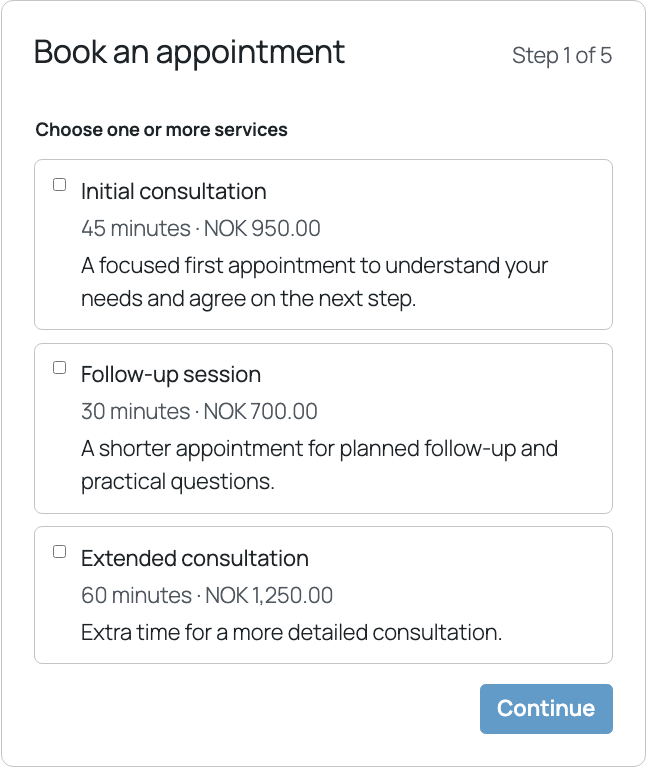
- Let customers choose one service or combine several, according to the
standard-profile setting. - Show a practitioner choice or “first available” when several practitioners
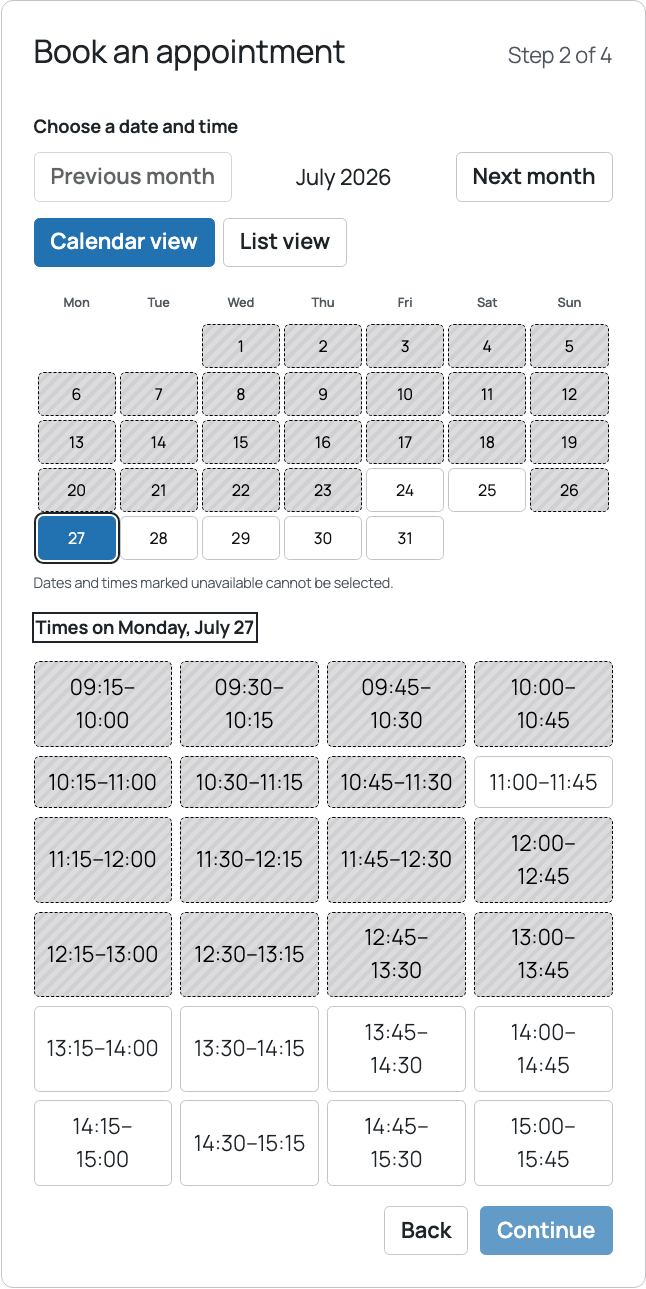
qualify. The choice is hidden automatically when only one qualifies. - Present available dates and start times in accessible calendar and list views.
- Collect name, email address, phone number, and an optional practical comment.
- Reserve a requested time while the booking is pending, preventing another
customer from taking it. - Send customer and staff notifications for booking events and reminders.
- Give confirmed customers a private link to view the booking, request another
time, or cancel within the configured deadline.
Administration
- Choose appointments or a validated add-on workflow without changing stored
services, resources, hours, or bookings. Returning from an add-on to the Core
default is kept behind a deliberate, confirmed control. - Configure services, durations, buffers, prices, deadlines, displayed
duration, drag-and-drop order, and whether buffers must fit opening hours. - Configure practitioners and assignments; inactive, unused catalog items can
be permanently deleted while booking-linked history remains protected. - Add date exceptions below the weekly schedule, with one checkbox to close or
add extra opening hours for either the selected practitioner or every
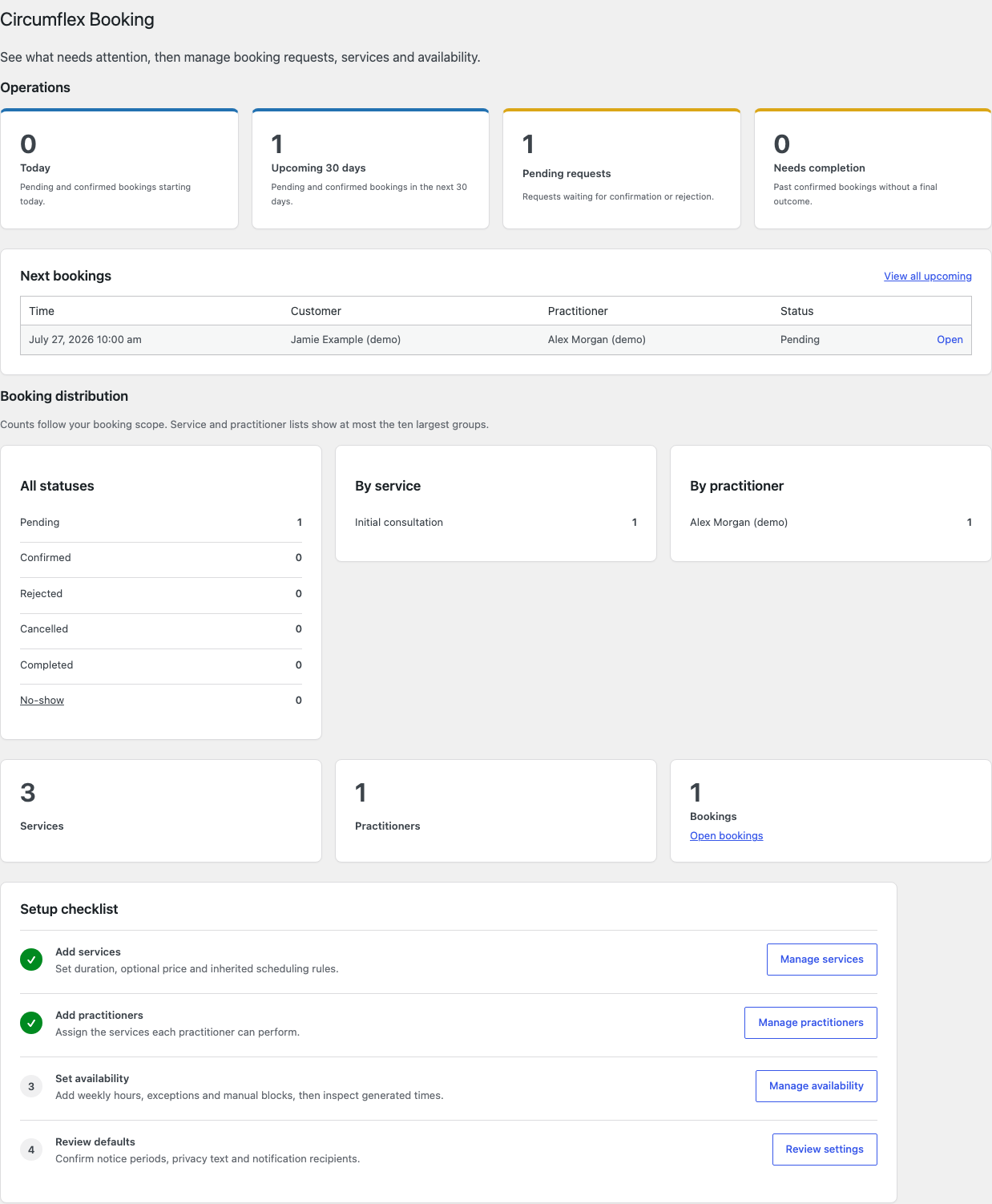
practitioner across an inclusive date period; manual blocks remain available. - Review bookings across all services in a day/week time grid with resource
tracks, continuous publicly bookable periods and visibly distinct Pro-held
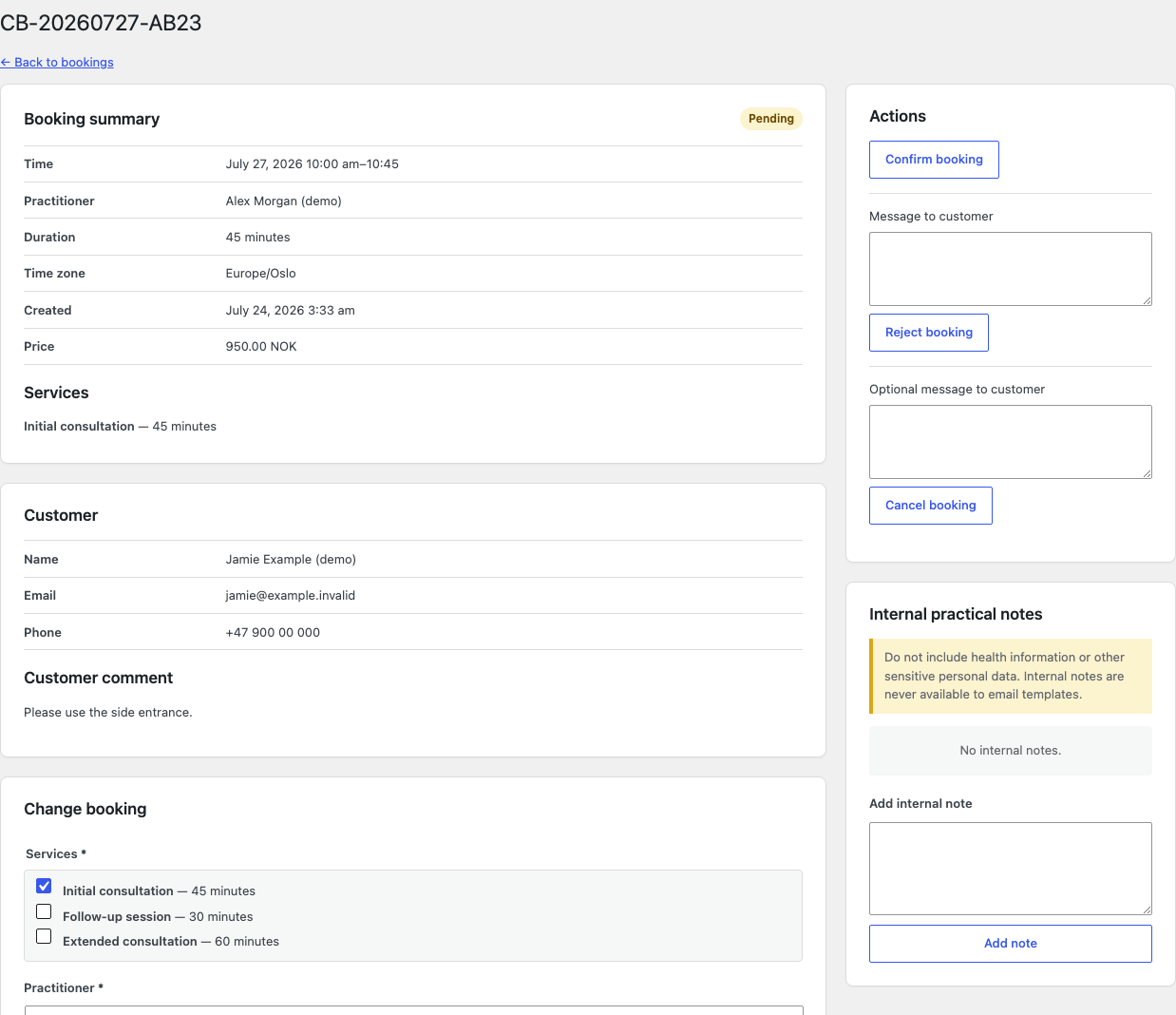
online capacity; month view remains a compact booking overview. - Optionally let linked practitioners decide only requests assigned to them.
- Configure and preview email identity and templates.
- Use WordPress privacy tools, retention, diagnostics, configuration transfer,
and the selected privacy policy.
Add the booking form anywhere
Circumflex Booking does not create or reserve a booking URL. Create or edit a
WordPress page and insert the Circumflex Booking block, the
[circumflex_booking] shortcode, or optional Elementor widget. Publish it and
share that page’s URL with customers. Elementor, WooCommerce, and customer
accounts are not required.
All shipped functionality is available without payment or a license key.
Payments, recurring bookings, and multiple locations are outside scope. Email
uses wp_mail(); a separate SMTP plugin is recommended.
Optional Pro add-on
Circumflex Booking Pro separately adds automation, capacity controls,
notification channels, follow-up, and anonymous statistics. Free remains fully
usable; its license controls only Pro updates and support.
Booking and diagnostics stay on the site. Optional Cloudflare Turnstile is
disabled by default and disclosed below.
Privacy and External Services
The site’s database stores customer contact details, optional practical
comment, services, practitioner, appointment time, and customer-notice
snapshot. Internal notes are visible only to authorized roles.
By default, personal data is anonymized 365 days after a terminal status; the
period is configurable. Contact details, free text, customer tokens, and
identifying notification and audit data are removed. WordPress privacy export
and erasure are supported. Erasing an active booking keeps its reserved time.
Authorized administrators can generate local diagnostics that omit personal
data, free text, tokens, secrets, IP addresses, and site URLs. Nothing is sent
to Circumflex AS.
Cloudflare Turnstile
Cloudflare Turnstile is an
optional anti-spam service. It is disabled by default and requires Cloudflare
keys plus explicit administrator activation.
When enabled, the browser loads https://challenges.cloudflare.com. Cloudflare
processes signals including IP address, TLS fingerprint, User-Agent, site key,
and origin. WordPress sends the secret and response token to Siteverify but
does not explicitly add the visitor IP. Bookings fail closed if verification
cannot finish.
Review Cloudflare’s
Turnstile Privacy Addendum,
Privacy Policy, and
Terms before enabling the service.
The site owner must reflect this processing in the site’s privacy information.
Source Code
Source and build instructions are in the
public GitLab repository.
Support
Use the Support tab for help. Product information is at
circumflex.no/circumflex-booking.
Never post customer data, private links, credentials, or health information.
Pantaila-argazkiak

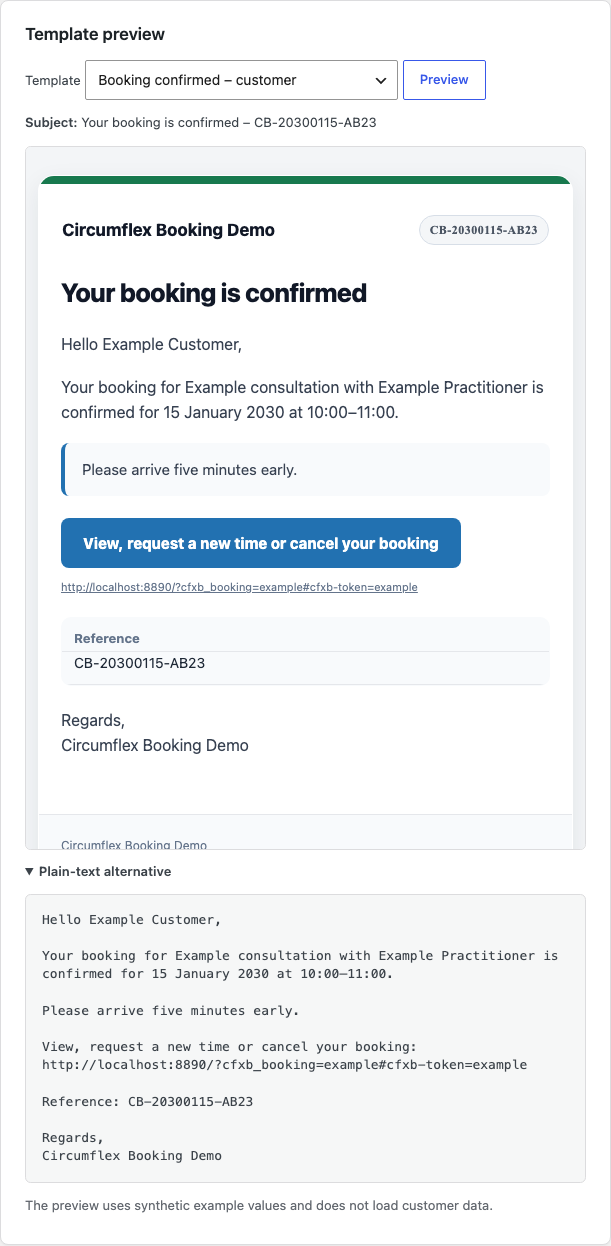
Blokeak
Plugin honek 1 blokea hornitzen du.
- Booking form Display the Circumflex Booking appointment flow.
Instalazioa
- Install and activate Circumflex Booking.
- Add at least one service under Booking > Services.
- Add a practitioner, assign services, and configure recurring hours under Booking > Practitioners and Booking > Availability.
- Review deadlines, notices, retention, recipients, and email templates under Booking > Settings.
- Select the site’s privacy policy under Settings > Privacy.
- Create or edit a normal WordPress page, add the block, shortcode, or Elementor widget, publish it, and share its URL.
- Check Tools > Booking status, then make and process a test booking before opening the page to customers.
The tested and supported database baseline is MySQL 8.0 or MariaDB 10.11 and newer. Older versions may work, but they are not tested or supported. Use HTTPS and configure the site’s mail or SMTP setup before accepting real bookings. The database version alone does not deactivate the plugin.
MEG
-
Does Circumflex Booking create a booking URL?
-
No. Add the block,
[circumflex_booking]shortcode, or Elementor widget to a
normal page you create. Publish it and use that page’s URL. All three use the
same booking flow and settings. -
Can analytics measure a successfully submitted booking?
-
Yes. The receipt stays visible and the URL gains
booking-received=1. For
exact GA4 measurement, trigger Google Tag Manager on the Custom Event
circumflex_booking_received and sendgenerate_lead. It fires once per
accepted response and contains no booking or customer data. The plugin does
not load analytics; site owners configure analytics and consent. -
Are notification emails sent immediately?
-
An asynchronous worker starts as soon as a message is queued. WordPress cron
remains as fallback and for retries. Inbox delivery depends on the site’s
wp_mail() or SMTP setup. -
Can customers change or cancel an appointment?
-
Confirmed customers can receive a private link to request a new time or cancel
before the deadline. New times require manual approval. Treat the link as a
secret access key. -
Can practitioners approve assigned requests?
-
Yes, when enabled. An active practitioner needs a notification email and linked
Practitioner account. Access is limited to their own requests; managers retain
access to all requests. -
Should customers enter health information in the comment field?
-
Configure the warning beside the optional comment to tell customers not to
submit health or other sensitive data that is not needed for scheduling. -
What happens when the plugin is deactivated or removed?
-
Deactivation and normal uninstall preserve data. Permanent deletion requires an
authorized administrator to enable and confirm the uninstall deletion option.
Berrikuspenak
Ez dago berrikuspenik plugin honentzat.
Laguntzaileak eta Garatzaileak
“Circumflex Booking” software librea da. Ondoko pertsonek egin dizkiote ekarpenak plugin honi.
Laguntzaileak
Itzul zaitez Circumflex Booking zure hizkuntzara.
Garapena interesatzen zaizu?
Araka kodea, begiratu SVN biltegia edo harpidetu garapen erregistrora RSS bidez.
Aldaketen loga
1.5.19
- Clarify that the final review has not submitted the request yet, keep review
labels readable in narrow embeds, and condense advanced administration fields.
1.5.18
- Add customer-facing practitioner order without changing assignment fairness,
and bundle complete Norwegian runtime translations.
Changes since public 1.3.5 began with the first public Core update after 1.3.5: safer booking profiles, scheduling rules,
administration controls, email presentation and bounded extension APIs.
Older development history is available in changelog.txt.