
Deskripzioa
Waitlist for woocommerce lets you track demand for out-of-stock items, ensuring your customers feel informed, and therefore more likely to buy.
Features And Options:
- Notifies customers when they can purchase an item that is out-of-stock through email.
- Track users list and quantity.
- Popup & inline design
- Email Log
- Enable/Disable guest users.
- Customizable form
- Works for all types of products.
Pro Features:
- Auto send back in stock email on stock update
- Send SMS on phone.
- Create custom fields for waitlist form.
- Keep waiting list after sending email.
- Import & Export waiting list.
- Send an email to user & admin on joining waitlist
- Shortcode to generate “Join Watilist” button anywhere
- Customizable form
Pantaila-argazkiak

The waitlist modal. 
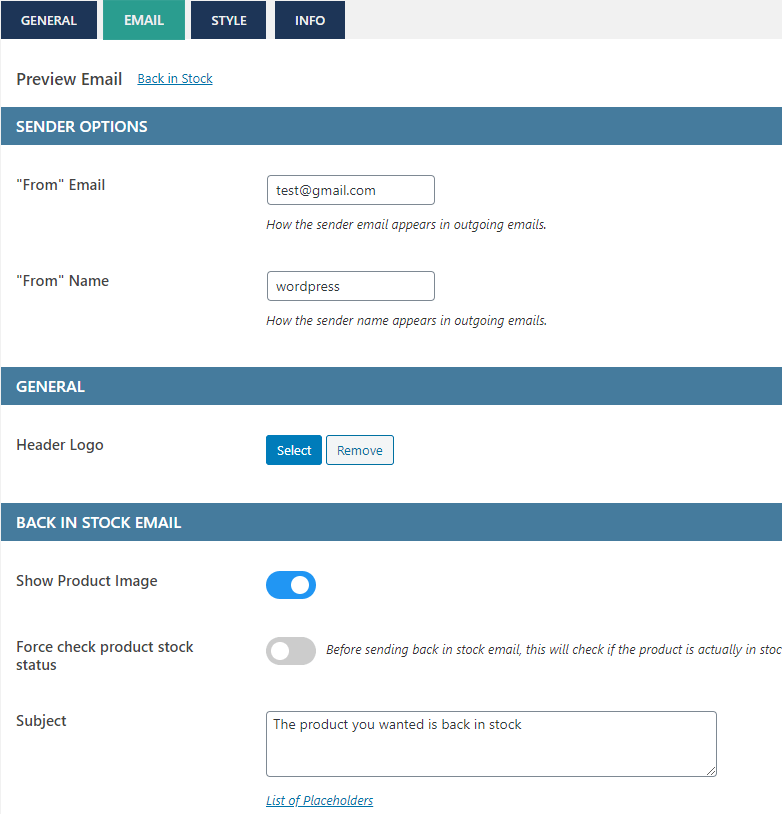
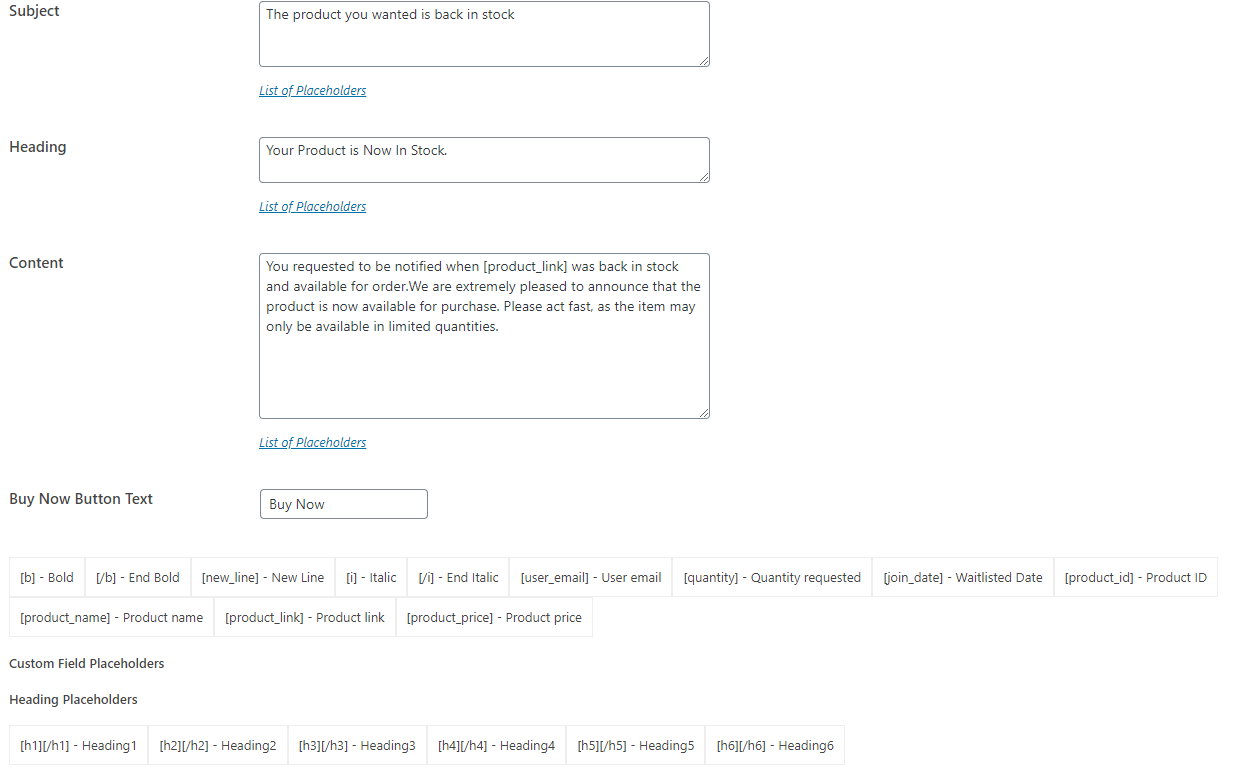
Back in stock email. 
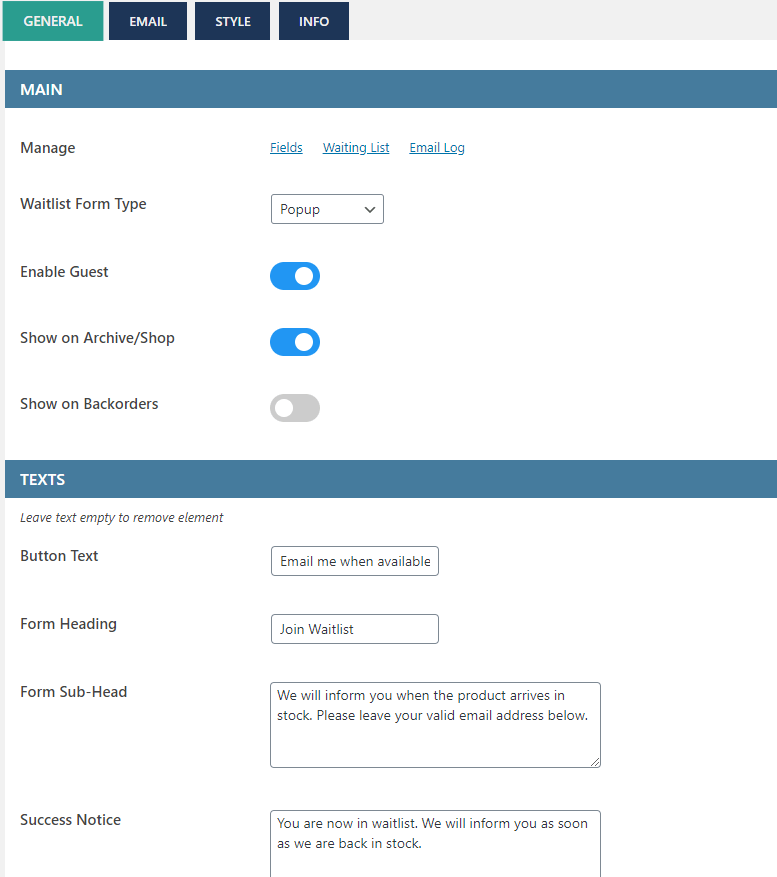
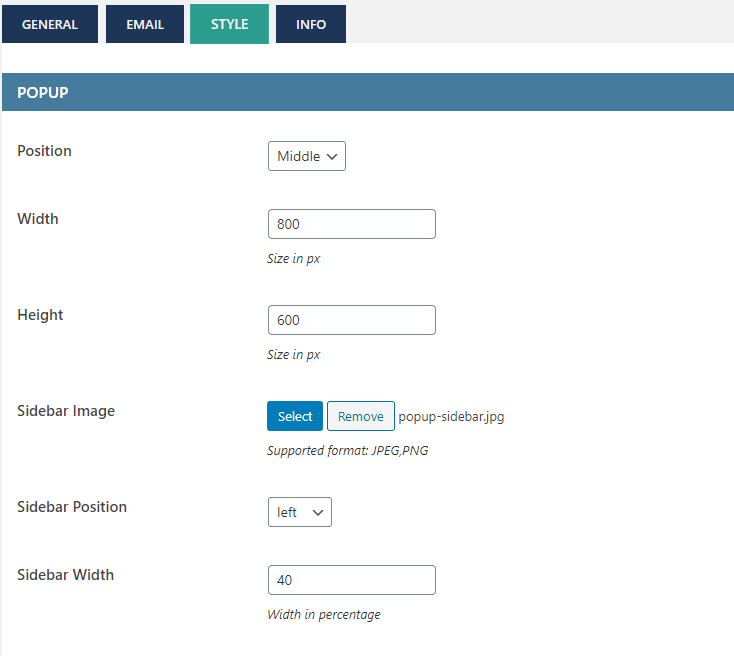
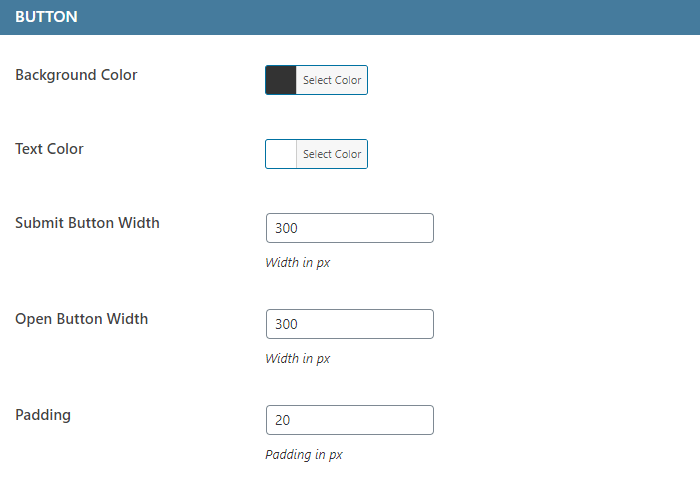
The Waitlist admin settings page. 
The Waitlist admin settings page. 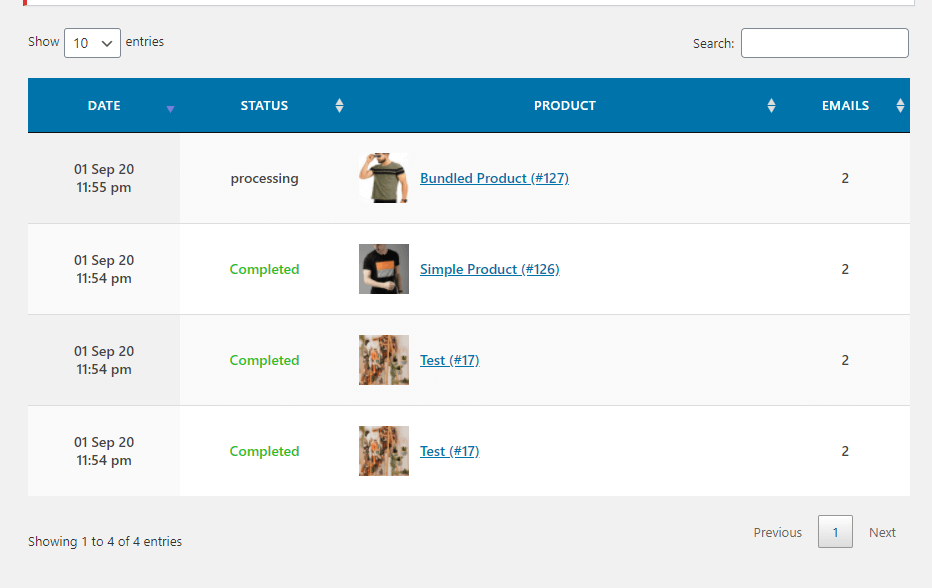
Instalazioa
- Upload the plugin files to the
/wp-content/plugins/directory, or install the plugin through the WordPress plugins screen directly. - Activate the plugin through the ‘Plugins’ screen in WordPress
- Click on Waitlist menu on the dashboard.
MEG
-
How to setup?
-
Everything is already setup.Just activate the plugin & you are done.
-
How to translate?
-
- Download PoEdit.
- Open the watilist-woocommerce.pot file in PoEdit. (/plugins/waitlist-woocommerce/languages/
watlist-woocommerce.pot) - Create new translation & translate the text.
- Save the translated file with name “waitlist-woocommerce-Language_code”. For eg: German(waitlist-woocommerce-de_DE)
, French(waitlist-woocommerce-fr_FR). — Language code list - Save Location: Your wordpress directory/wp-content/languages/
-
Working
-
- Waitlist button shows when product is out of stock.
- As soon as the product is in stock again , it sends email to all the users in waitlist.
Berrikuspenak

2024(e)ko apirilaren 17(a)
Great plugin. Did exactly what we needed it to. We had a very slight issue getting it to work in a few instances - but support was quick and it's now working perfectly. Really pleased!

2024(e)ko urtarrilaren 25(a)
1 reply
Le plugin ne s'affiche pas sur ma boutique. J'ai contacté le support, je les ai relancé, personne ne me répond. Je déconseille fortement.

2024(e)ko urtarrilaren 17(a)
Pulkit responded to my query within minutes and was able to provide a solution for my issue - very impressive!

2023(e)ko urriaren 27(a)
I just got the premium version and did face an issue but it was quickly solved with the support so i can give 5 stars.

2023(e)ko ekainaren 8(a)
A really good, useful plugin with easy control and excellent support. Thank you.

2023(e)ko ekainaren 7(a)
This is a fantastic plugin for any site that hold physical stock in their woo commerce store. Easy set up, the pro version has extra featured such as waiting list with backorder allowed items which is great as some people dont want to back order but will order when product is back in stock.
5 stars - Very Happy !
Laguntzaileak eta Garatzaileak
“Waitlist Woocommerce ( Back in stock notifier )” software librea da. Ondoko pertsonek egin dizkiote ekarpenak plugin honi.
Laguntzaileak
Waitlist Woocommerce ( Back in stock notifier ) 2 eskualde-ezarpenetara itzuli da. Eskerrik asko itzultzaileei beraien ekarpenengatik.
Itzul zaitez Waitlist Woocommerce ( Back in stock notifier ) zure hizkuntzara.
Garapena interesatzen zaizu?
Araka kodea, begiratu SVN biltegia edo harpidetu garapen erregistrora RSS bidez.
Aldaketen loga
2.5.3
- Security update
2.5.1
- Security update
2.5.1
- Fix – “Do not show waitlist button option under inventory”
2.5
- Readme update
2.4
- Tweak – Changed capability to shop manager
2.3
- Fix – Site Favicon goes missing
- Fix – Popup quick flash on page load
- Fix – Other minor bugs.
2.0
**** MAJOR UPDATE ****
Almost everything is changed, from design to settings.
It is coded all over again.
- New – Customizable Form fields
- New – Sent email history page
- New – Inline form option
- New – Customize email texts from the settings
- New – Show button on backorders
- New – More styling options
- Tweak – Highly optimized
- Tweak – Popup design changes
1.5
- Notification for 2.0 update
1.4
- New – Improved “View Waitlist” design
- New – Delete user from waitlist.
- Fixed – Translation Bug (Thanks to Jerome)
1.3
- New – Added Custom “SEND EMAIL” button.
- New – Option to disable auto email.
- New – Premium release.
1.2
- Fixed Bugs
1.1
- Fixed Bugs
- Fixed – Missing product name in Email.
- Fixed – Now works in quick edit too.
1.0
- Initial Public Release