
Deskripzioa
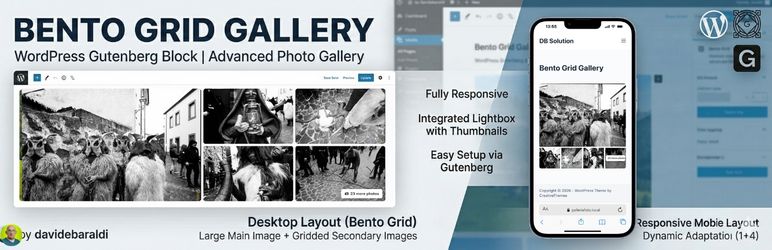
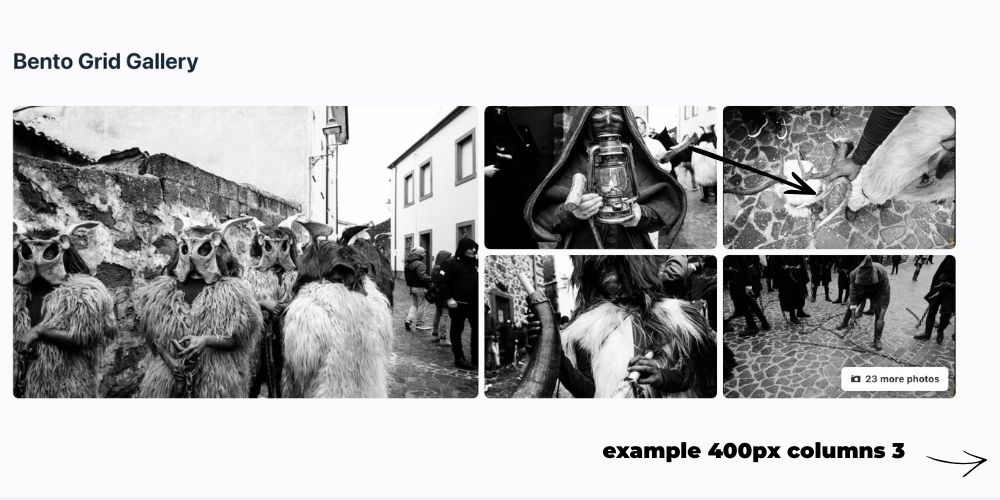
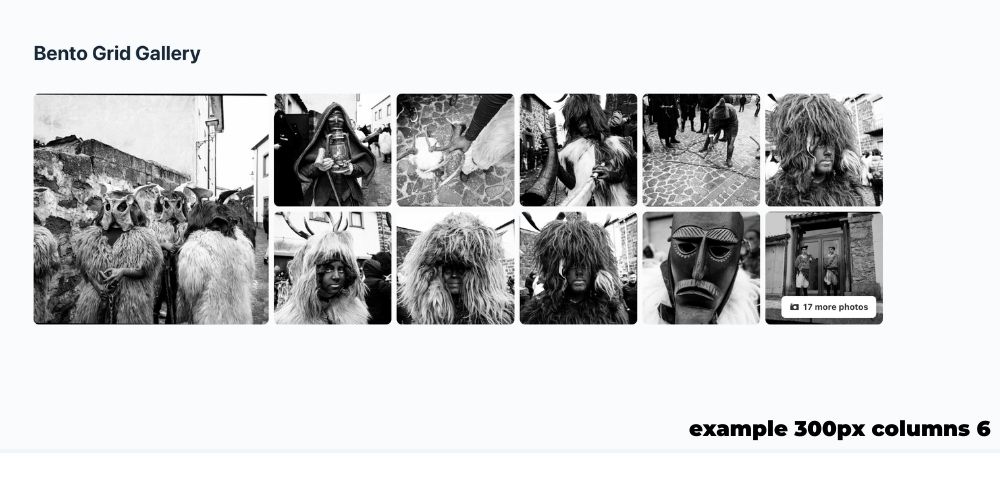
Bento Grid Gallery adds a lightweight, responsive gallery block to the WordPress block editor. It creates a modern Bento-style composition with a prominent main image, secondary images, an additional-photo counter, and a full-screen lightbox.
The plugin uses native WordPress APIs and does not require an external page builder. Its block assets are registered through block.json, making the editor presentation compatible with the iframe-based block editor used by current and future WordPress versions.
Key features
- Responsive Bento grid layout.
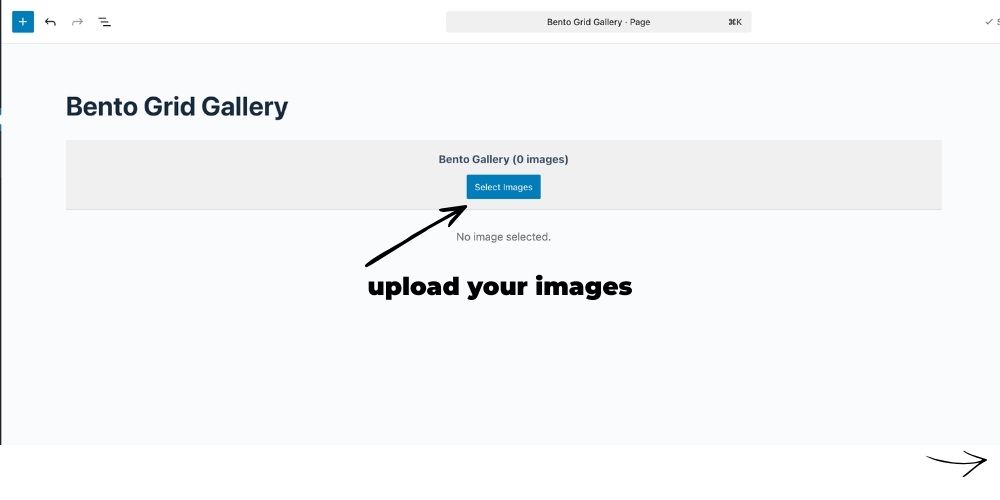
- Native WordPress Media Library integration.
- Image selection, removal, and reordering through the standard gallery interface.
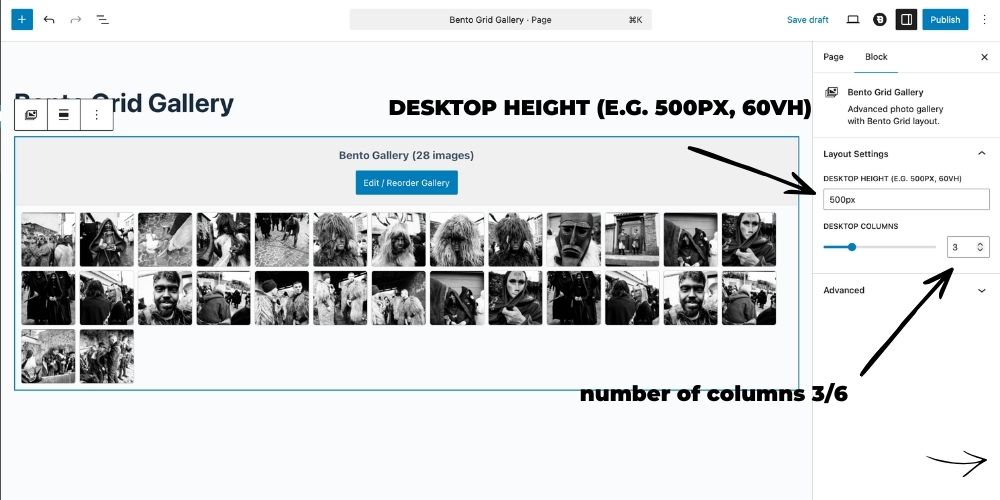
- Configurable desktop height and column count.
- Integrated full-screen lightbox with navigation and thumbnails.
- Automatic additional-photo counter.
- Optimized WordPress image sizes for improved loading performance.
- Dynamic server-side block rendering.
- DB Solution HUB integration.
- Compatible with the WordPress 7.0 Modern admin design.
- Translation-ready and compatible with Italian and English interfaces.
Pantaila-argazkiak
Blokeak
Plugin honek 1 blokea hornitzen du.
- Bento Grid Gallery Advanced photo gallery with Bento Grid layout.
Instalazioa
- Upload the
bento-grid-galleryfolder to/wp-content/plugins/, or install the ZIP file from Plugins > Add Plugin > Upload Plugin. - Activate Bento Grid Gallery.
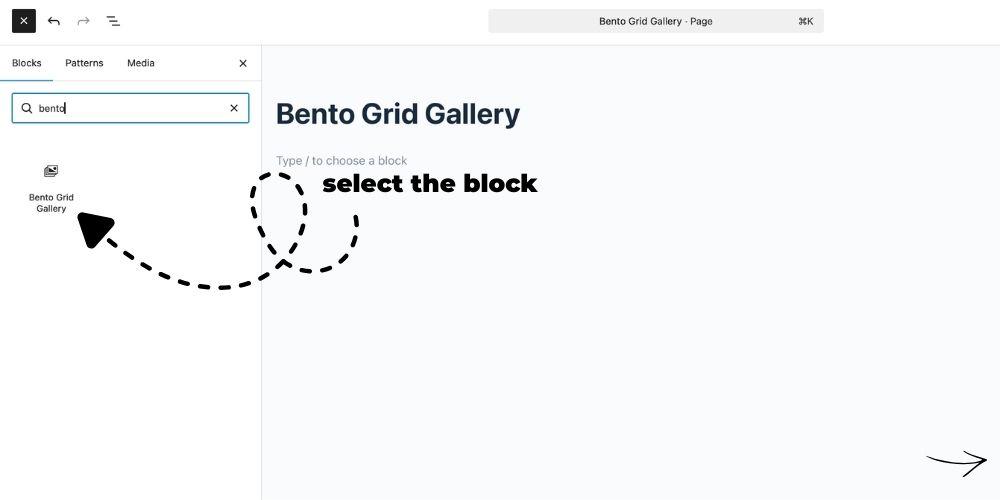
- Open a page or post in the block editor.
- Add the Bento Grid Gallery block.
- Select images from the Media Library and configure the layout in the block sidebar.
MEG
-
How do I customize the layout?
-
Select the block and open the block settings sidebar. You can change the desktop height and the number of desktop columns.
-
How do I reorder photos?
-
Use the Edit / Reorder Gallery button. WordPress opens the native gallery interface, where images can be reordered with drag and drop.
-
Is the plugin compatible with WordPress 7.0?
-
Yes. Version 1.0.2 is tested with WordPress 7.0 and its Modern admin interface. The block uses API version 3 and WordPress block metadata, supporting the iframe-based editor architecture.
-
Does it require jQuery?
-
The current lightbox frontend uses the jQuery copy bundled with WordPress. No external JavaScript library is downloaded.
-
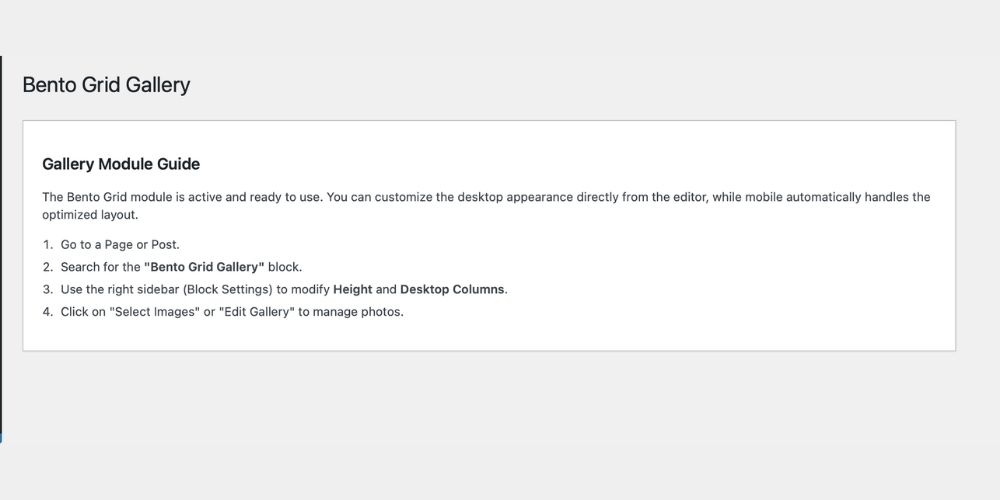
Where are the plugin instructions?
-
Open DB Solution > Bento Grid Gallery in the WordPress administration area.
Berrikuspenak
Ez dago berrikuspenik plugin honentzat.
Laguntzaileak eta Garatzaileak
“Bento Grid Gallery” software librea da. Ondoko pertsonek egin dizkiote ekarpenak plugin honi.
Laguntzaileak
Itzul zaitez Bento Grid Gallery zure hizkuntzara.
Garapena interesatzen zaizu?
Araka kodea, begiratu SVN biltegia edo harpidetu garapen erregistrora RSS bidez.
Aldaketen loga
1.0.2
- Added the standard DB Solution HUB layout with active-plugin cards.
- Added Bento Grid Gallery to the automatic active-plugin list.
- Updated compatibility declaration to WordPress 7.0.
- Improved compatibility with the WordPress 7.0 Modern admin interface.
- Confirmed block editor iframe compatibility through Block API version 3 and
block.jsonasset registration. - Replaced non-cryptographic unique ID generation with
wp_unique_id(). - Added translator comments for strings containing placeholders.
- Added
Requires PHPto the WordPress.org readme. - Improved the internal module guide and responsive admin styling.
1.0.1
- Moved admin inline CSS to an enqueued external stylesheet.
1.0.0
- Initial release.
- Added Bento grid layout and integrated lightbox.
- Added Inspector Controls for desktop height and columns.