

Deskripzioa
Turn every sermon into a resource people can find, explore and use
Your church puts hours of preparation into every sermon. But once Sunday is over, that teaching often ends up as a video in an archive where very few people ever find it again.
Seedcast Sermon Library turns your weekly preaching into a permanent, searchable teaching library.
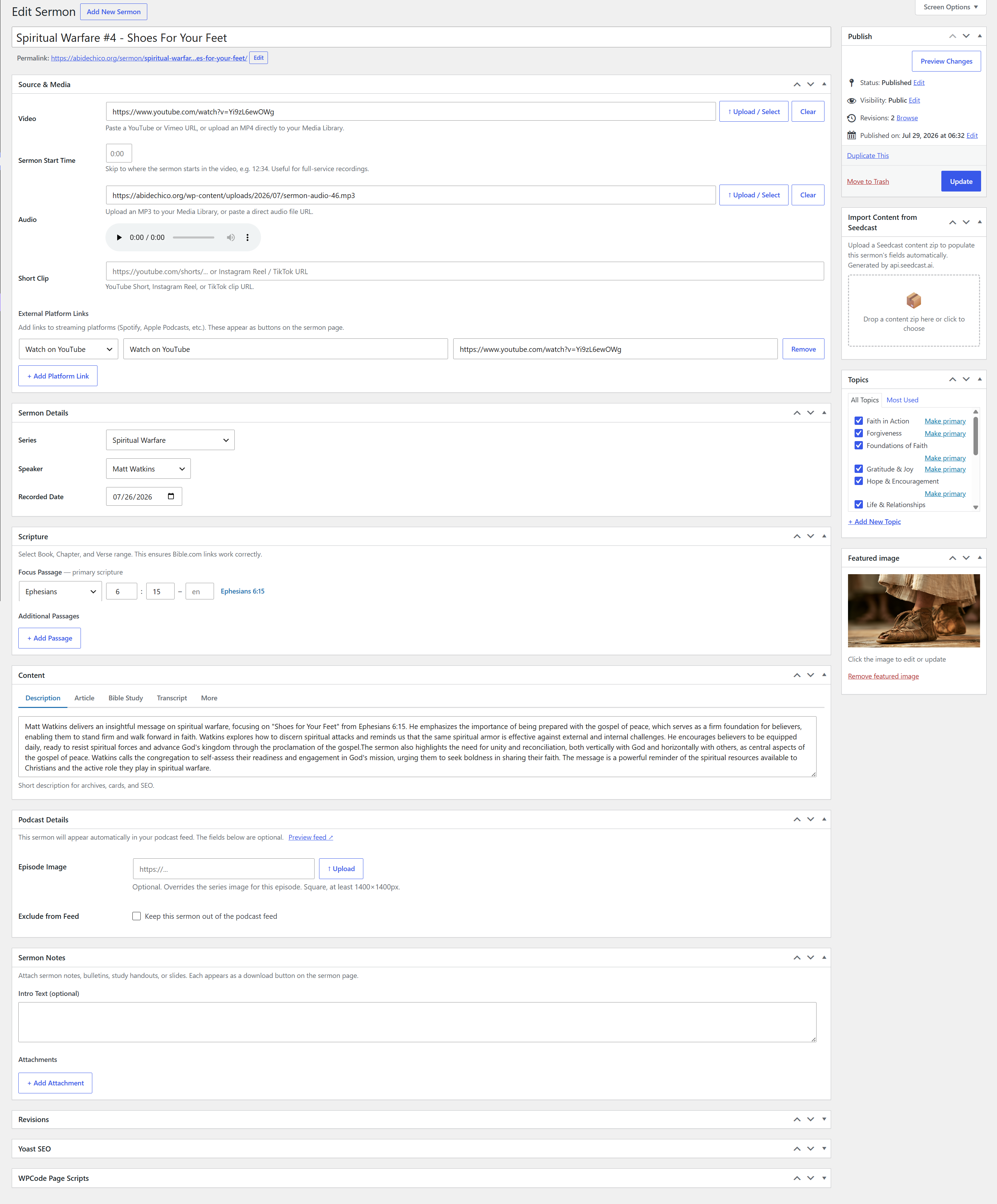
Every sermon gets its own page where people can watch the video, listen to the audio, read the transcript, explore an article, work through a Bible study, download resources and see the Scriptures connected to the message.
Visitors can explore your teaching by Scripture, series, speaker and topic. Someone studying Ephesians can find sermons your church has preached from Ephesians. Someone exploring prayer or marriage can browse messages on that subject. Someone considering a visit can read what your pastors actually teach instead of judging the church from a homepage and a few video thumbnails.
Written sermon content is also available to search engines and AI assistants, helping the teaching your church already produces become discoverable beyond Sunday morning.
Everything below is included in the free plugin. Sermon Library AI is an optional paid add-on described at the end.
One sermon becomes many ways to engage
A sermon can include video, audio, transcript, article, Bible study, sermon notes, Scripture references, speaker and series information, and downloadable PDFs.
Everything stays connected to the original sermon instead of being scattered across separate posts and pages.
A visitor may read instead of watching a 45-minute video. A member who missed Sunday may listen later. Someone studying a passage may find the sermon through Scripture. A small group may use the Bible study during the week.
Build a real library, not just a video archive
Scripture. Browse sermons by book, chapter and passage. Overlapping passages are understood intelligently, so a sermon on Ephesians 6:10-20 can be found by someone looking at Ephesians 6:15.
Topics. Organize teaching around subjects people actually want to explore.
Series. Give every series its own artwork, description, date range and archive.
Speakers. Create speaker profiles with a photo, biography, links and every sermon they have preached.
Together, these turn years of Sunday messages into an interconnected body of teaching rather than a long list of recordings.
Help people discover what your church actually teaches
Many sermon archives give search engines little more than a title and embedded video.
Sermon Library makes the underlying teaching available as indexable written content and adds structured information about sermons, speakers, audio, video and Scripture. That gives Google, other search engines and AI assistants more context for understanding what your church teaches.
Someone may discover your church while searching for a Bible passage, theological question, topic or sermon article. They did not have to be searching for your church to find something your church taught.
Keep useful sermon content alive
Use [scsl_content] to display sermon articles and Bible studies anywhere on your site as a list, grid or slider. Each item opens the original sermon directly to that content, so nothing is duplicated at a second URL.
A message preached two years ago can continue helping someone today.
See how complete every sermon and your entire library are
Sermon libraries develop gaps. One sermon is missing a transcript. Another has no Scripture reference. Another is missing artwork, notes or written content.
Every sermon receives a completeness score, showing how fully its page has been built out and exactly what could be improved.
Sermon Library also calculates an overall completeness score for your entire library, so you can see how consistently your church is building useful sermon records across everything you have published.
The Completeness Report shows:
- A score for every sermon
- An overall library score
- Which sermons need attention
- Exactly what is missing from each sermon
- What is missing most often across the library
- Separate sermon-detail and written-content scores
- A week-by-week completeness record
The score uses only the content your church has chosen to publish. If you do not use Bible studies, missing Bible studies will not lower your score.
Instead of wondering where your sermon library needs work, you can see where it stands and what to improve next.
Already using another sermon plugin?
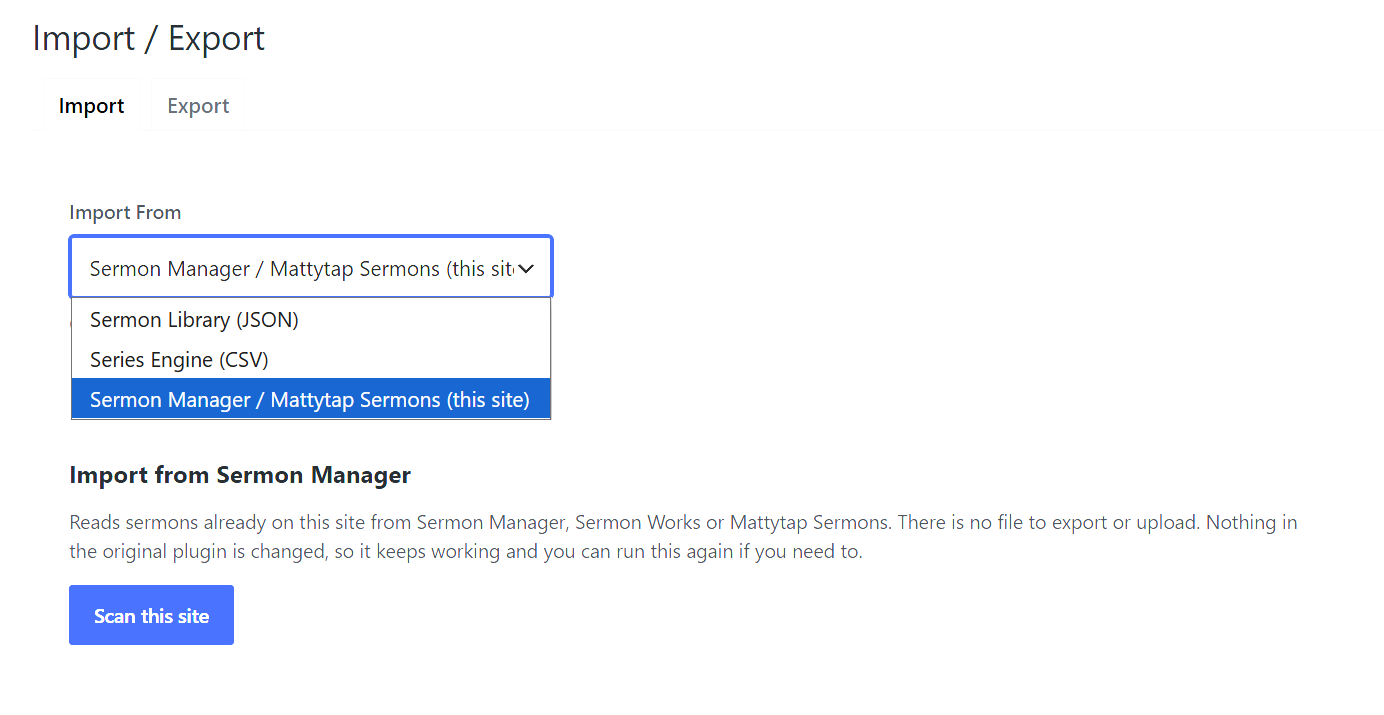
Sermon Library imports from Sermon Manager, Sermon Works, Mattytap Sermons and Series Engine.
For supported WordPress plugins, the importer reads sermon data already on your site, shows you what it found and lets you review it before anything is written. Original plugin data is left untouched. It can also identify duplicate speaker names and help you consolidate them during migration.
Series Engine imports from CSV with a review and mapping step before anything is created.
Audio Feed is built in
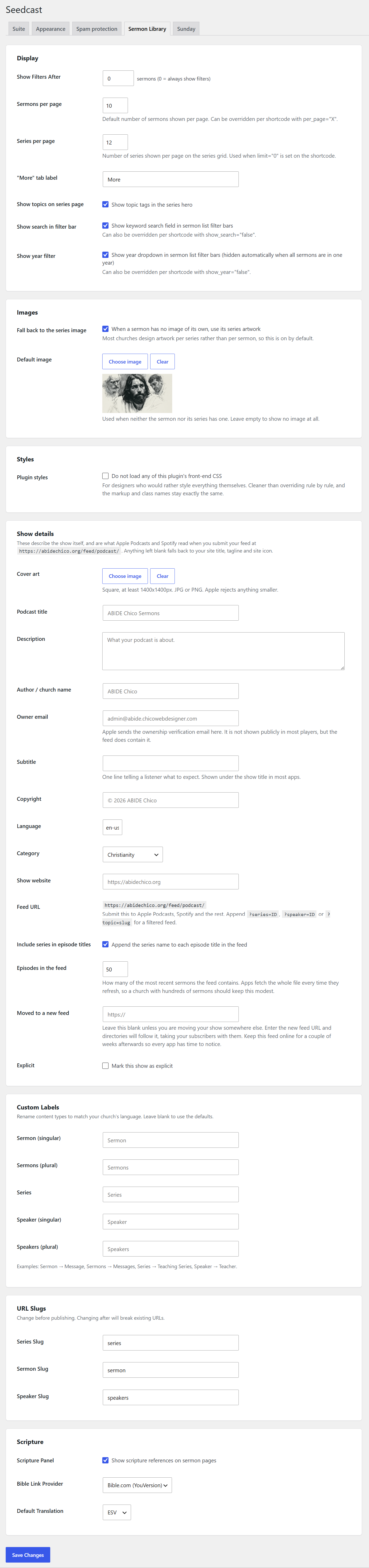
Sermon Library creates an iTunes-compatible RSS feed for Apple, Spotify and other podcast platforms. Create a feed for the whole church or filtered feeds for a series, speaker or topic.
Designed to work with your church website
- Works with any theme and inherits site fonts and colors
- Tested with Elementor and Divi
- Theme-overridable templates
- Optional plugin CSS
- Four appearance presets
- Visual shortcode generator
- Shared church details for service times and contact information
Shortcodes
[scsl_sermon_list] sermons with filters; `[scsl_series_grid]` series; `[scsl_speaker_grid]` speakers; `[scsl_latest]` latest sermon; `[scsl_content]` articles or studies; `[scsl_topic_list]` topics; `[scsl_scripture_list]` Scripture index; `[scsl_sermon_index]` all sermons by year; `[seedcast_church_details]` shared church information.
See it in action
And the core Sermon Library is free
Everything above is included in the free Sermon Library plugin.
Turn the recording into content automatically with Sermon Library AI
Sermon Library gives every sermon a place for a transcript, article and Bible study. Sermon Library AI creates this content for you.
Upload the sermon recording you already made, and Seedcast processes what was actually preached and prepares the transcript, article and Bible study inside the sermon.
Nothing publishes automatically. Generated content is staged for review so your church stays in control.
Instead of spending hours transcribing, summarizing and writing after every Sunday, your team can begin with the recording you already made, review the generated content and build a more complete sermon record.
Details and pricing: seedcast.ai
Your church is already creating the teaching. Seedcast helps make sure people can actually find, understand and use it.
Pantaila-argazkiak





Instalazioa
- Upload the
seedcast-sermon-libraryfolder to/wp-content/plugins/ - Activate it through Plugins
- Go to Sermon Library in the admin menu
Moving from another plugin? Use Sermon Library > Import / Export before deactivating the old plugin so you can compare the two.
MEG
-
How is the completeness score worked out?
-
Each sermon is scored on details that make its page useful, including speaker, series, focus passage, recording and image, plus the written sections you have chosen to use.
The library score is the average across every sermon, so it changes whenever you fill in missing content. The Completeness Report lists the exact fields being counted.
-
Can I turn completeness scores off?
-
Yes. Disable Show completeness scores under Settings > Display. Weekly scores continue recording so the historical record remains available if you turn the feature back on later.
-
Can I move sermons from another plugin?
-
Yes. Sermon Library imports directly from Sermon Manager, Sermon Works and Mattytap Sermons, and imports Series Engine data from CSV. Existing plugin data is not modified.
-
Can visitors download written sermon content?
-
Yes. Transcripts, articles, Bible studies and sermon notes each have a PDF download button.
-
Can people search sermons by Scripture?
-
Yes. Scripture uses a structured passage picker. Visitors can filter by book, and every passage has its own page. Overlapping passages are matched intelligently.
-
Does it work with Elementor, Divi, Yoast and Rank Math?
-
Yes. Sermon Library is tested with Elementor and Divi. When a dedicated SEO plugin is active, Sermon Library lets it handle standard metadata while still adding sermon-specific structured data.
-
Does deactivating the plugin delete anything?
-
No. Sermons, series and speakers remain in the database.
Berrikuspenak
Ez dago berrikuspenik plugin honentzat.
Laguntzaileak eta Garatzaileak
“Sermon Library” software librea da. Ondoko pertsonek egin dizkiote ekarpenak plugin honi.
Laguntzaileak
Itzul zaitez Sermon Library zure hizkuntzara.
Garapena interesatzen zaizu?
Araka kodea, begiratu SVN biltegia edo harpidetu garapen erregistrora RSS bidez.
Aldaketen loga
2.71.0
- Every setting the shared Seedcast library stores was renamed to a longer, more distinctive prefix, so it cannot collide with another plugin that happened to choose the same short one. Your church details, service times, theme and spam settings are carried across automatically the first time the plugin loads; nothing needs re-entering.
- Submitted form values are cleaned once, in a single place, before any plugin sees them. A value containing a backslash is no longer damaged on its way into the database.
- The church details published for search engines can no longer be broken by a stray tag in a setting.
- The unlisted choice saved from Quick Edit is sanitized before it is read, and temporary files left by a manifest import are now removed through WordPress rather than by a direct file call.
- The completeness report’s own links use the new prefix. A bookmarked report URL from an earlier version opens the default view rather than the filtered one.
2.70.2
- Unlisted sermons are now kept out of lists that name the sermon type as a list rather than a single value, and a repeated error-log warning is gone.
2.70.1
- Bulletin Library sermon sections now render at full page width above the two-column body area.
2.70.0
- Updated the Bulletin Library integration and internal bridge naming.
Complete historical changelog: see changelog.txt.